For equipment distributors, installers & service teams
OSPR Provider Platform.
Your business. Connected.
Your branded website and visual planning, connected to the way you sell, deliver and support. OSPR designs, builds and maintains the platform around your business.
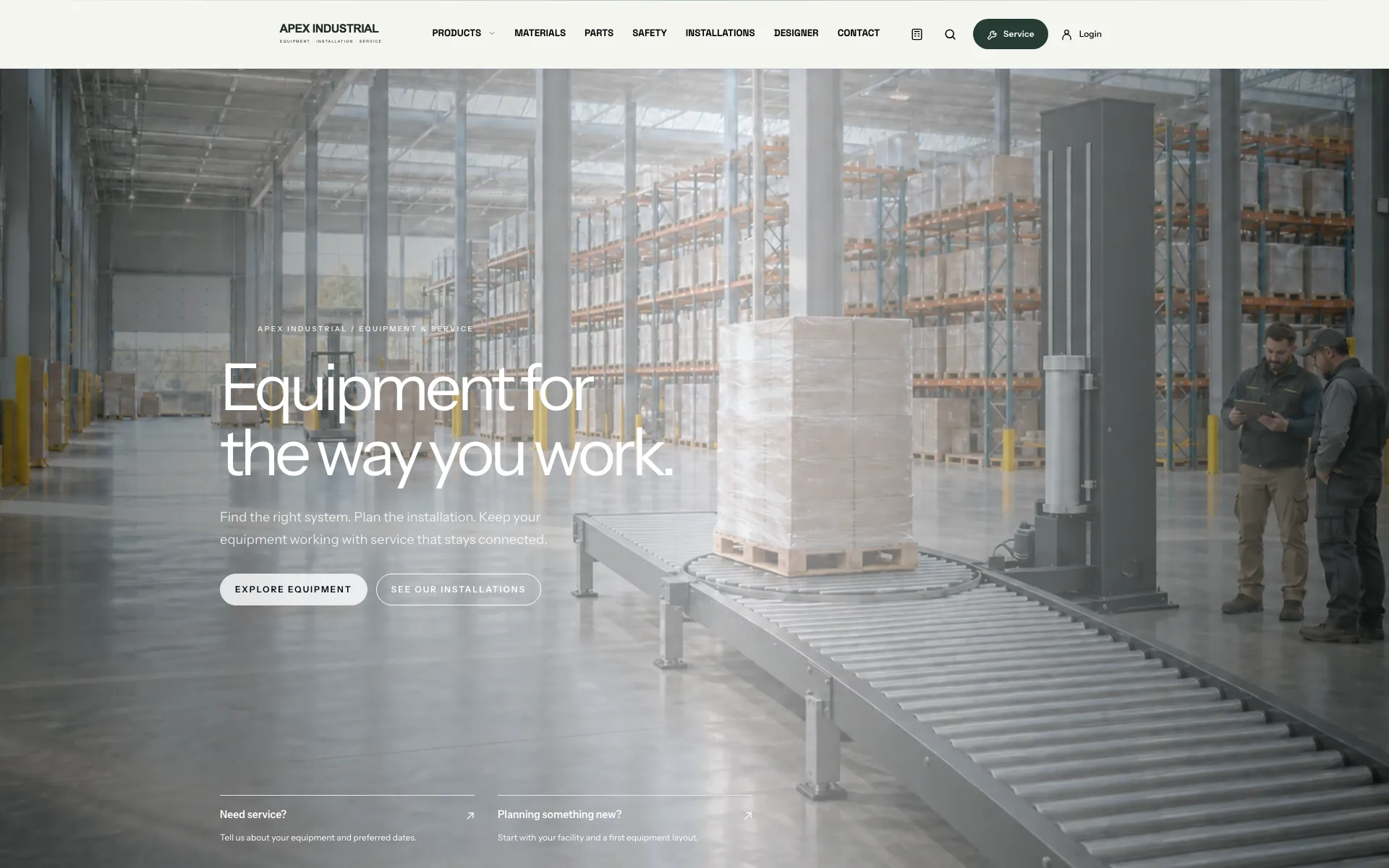
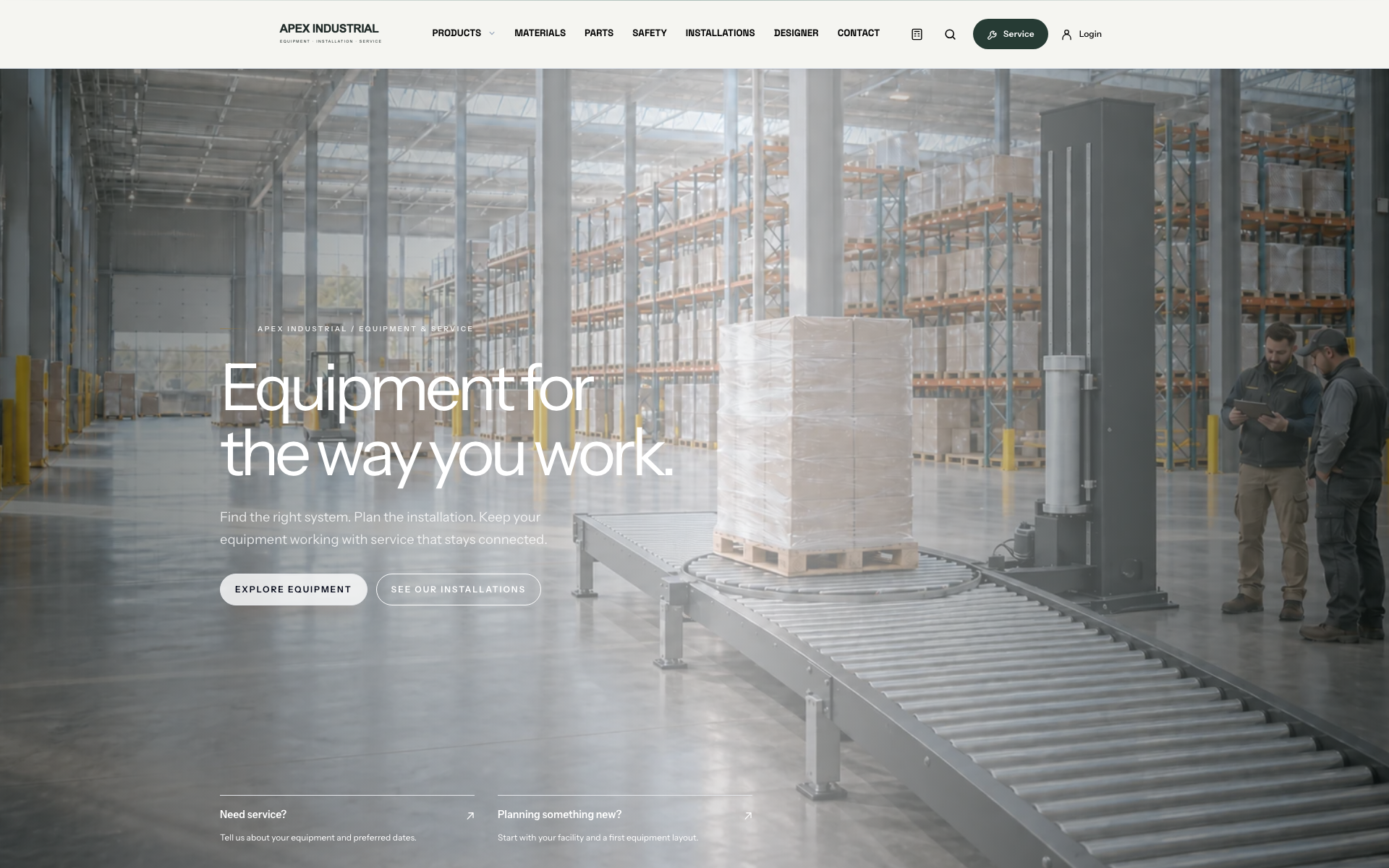
Your brand is the front door.Actual connected demo website
Your company. Your customers.One platform, from first inquiry to ongoing care.
01 / More than a website
The front door. And the business behind it.
Stand out in how customers find you, evaluate your proposals and get help. Give your team the connected tools to carry that relationship forward.
Your branded website
Your equipment, work and services, presented in a website we design around your business.
Sales & quoting
Configurable intake, visual site planning and shareable proposals with engagement tracking.
Work & scheduling
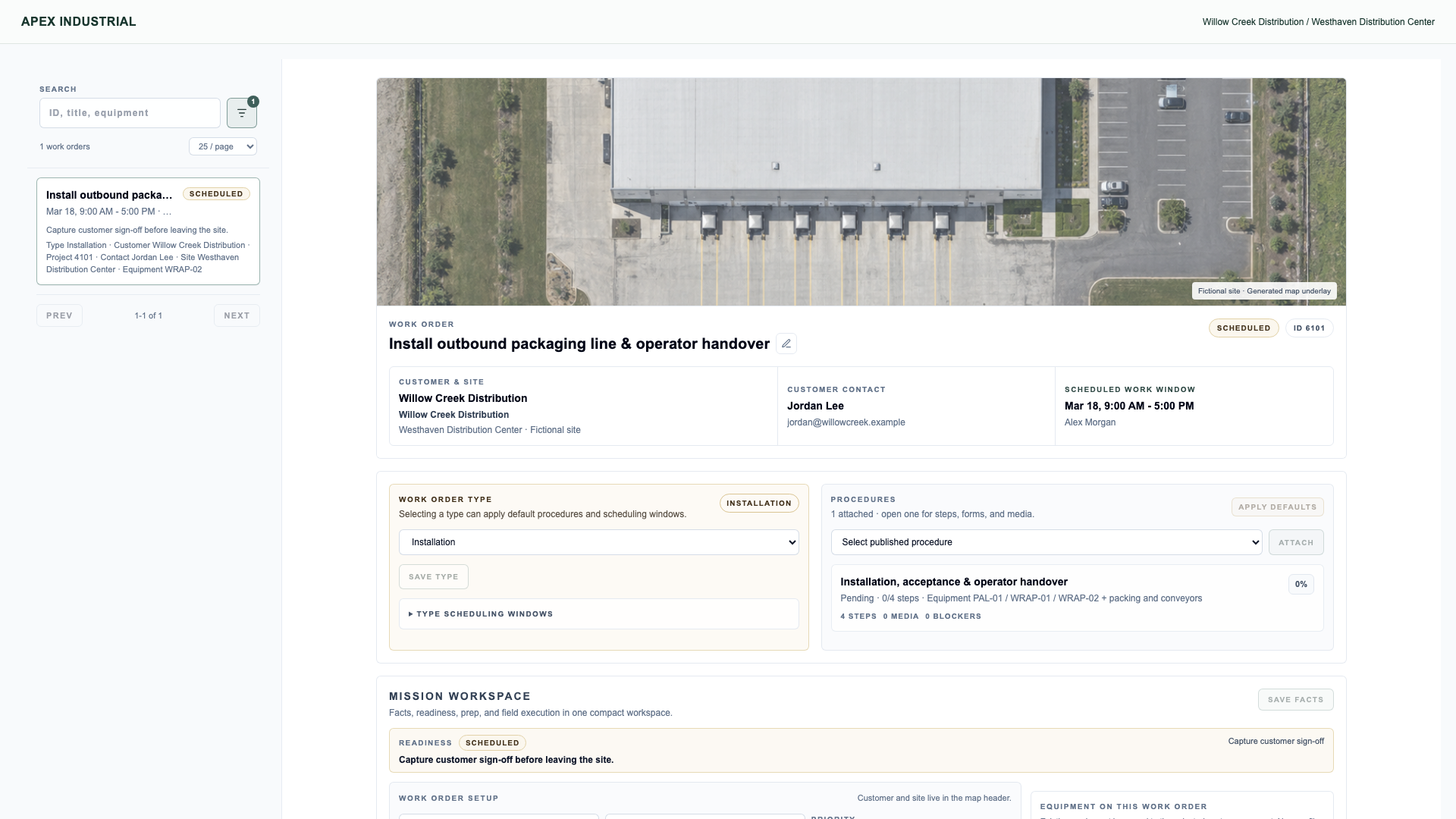
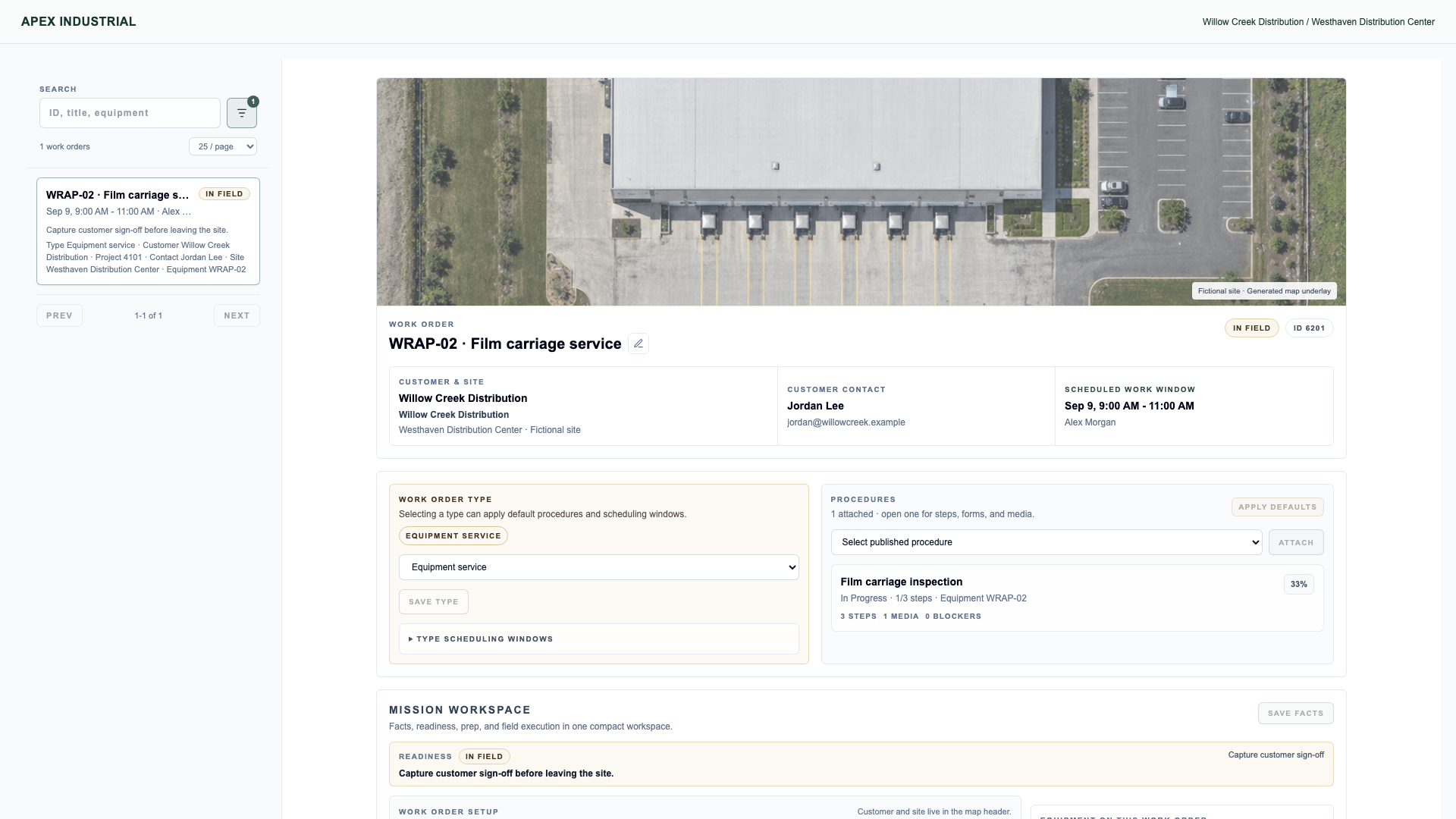
Installation and service jobs, technician procedures and field documentation.
Remote support
Video conversations that help your team and customer see the issue together.
Recurring service
Defined scope, planned maintenance and service history form the foundation for an ongoing service business.
Start with the Provider Platform on its own. Facility cameras and operator evidence are optional additions, with access defined for each implementation.
Actual OSPR interfaces with fictional companies and records, generated imagery and simulated call media. We never use directly attributable customer imagery without consent.
The whole business, connected
Built for the next sale. And the relationship after it.
A better website is the beginning. Connect the way customers find you with the way your team sells, delivers and cares for their equipment.
01Get considered↗
A presence worth choosing.
Let customers discover your equipment, meet your people and see the work you deliver.
Your business leads. We care for the platform.Hosting, maintenance and technical support.
Your website and staff tools share customer, site and equipment context. Your team directs each handoff.
Your team stays in control.+
Authorized staff manage content, team presence and quote-request intake. Preview changes and choose when to publish without needing to become web developers.
Build on the business you already have.+
Plan the transition around your current content, search visibility, important page addresses and the business tools you still need. Define the starting scope together.
Your identity / Our craft
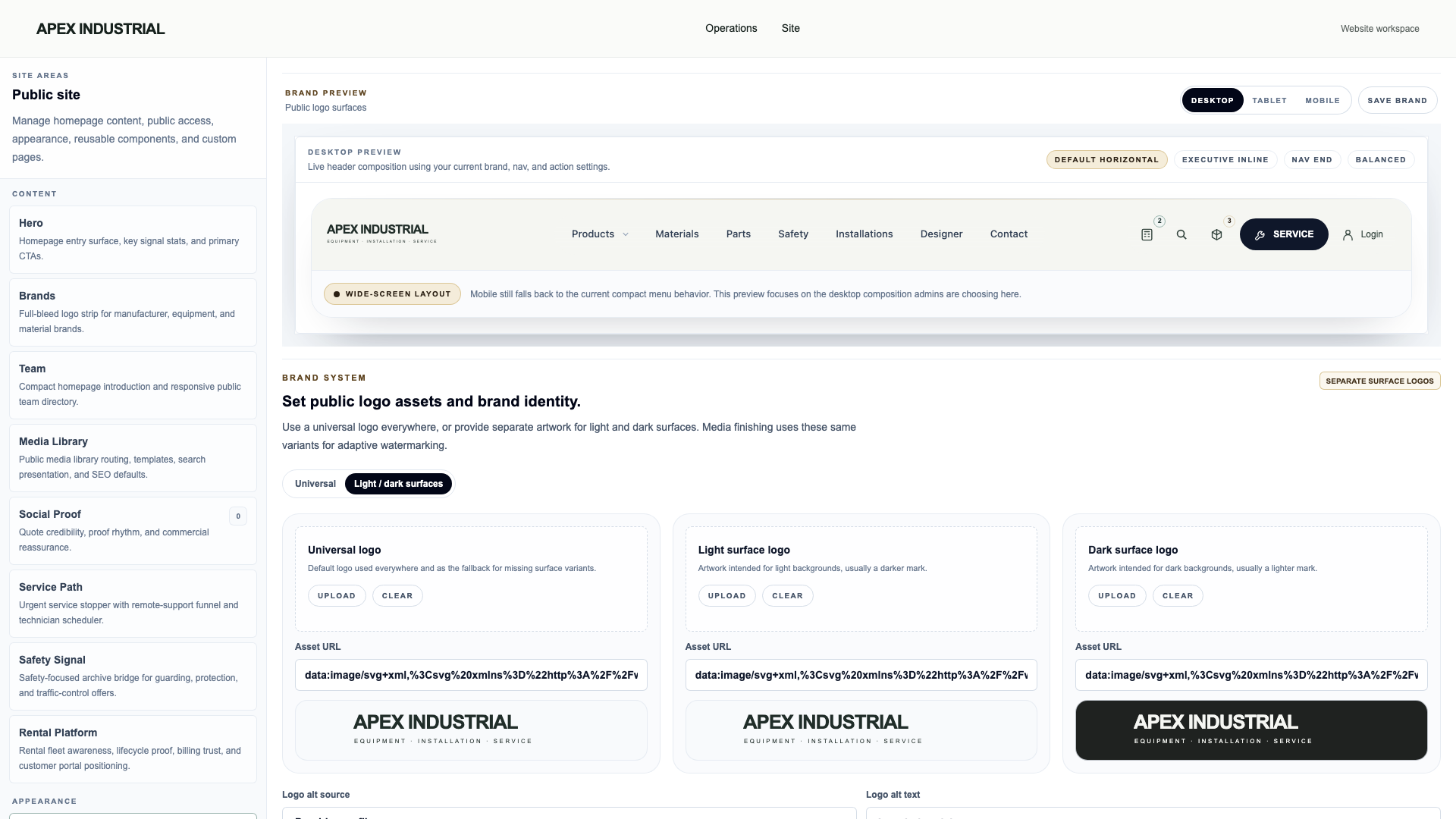
Your website. Unmistakably yours.
OSPR works with you to create a powerful web platform that feels entirely your own. Colors, graphics, layouts and customer experiences are shaped around your business.
We design and refine it together until you’re proud to put your name on it. Then we’re here to support it.
02 / From the first conversation to the next service visit
Their building. Your next proposal.
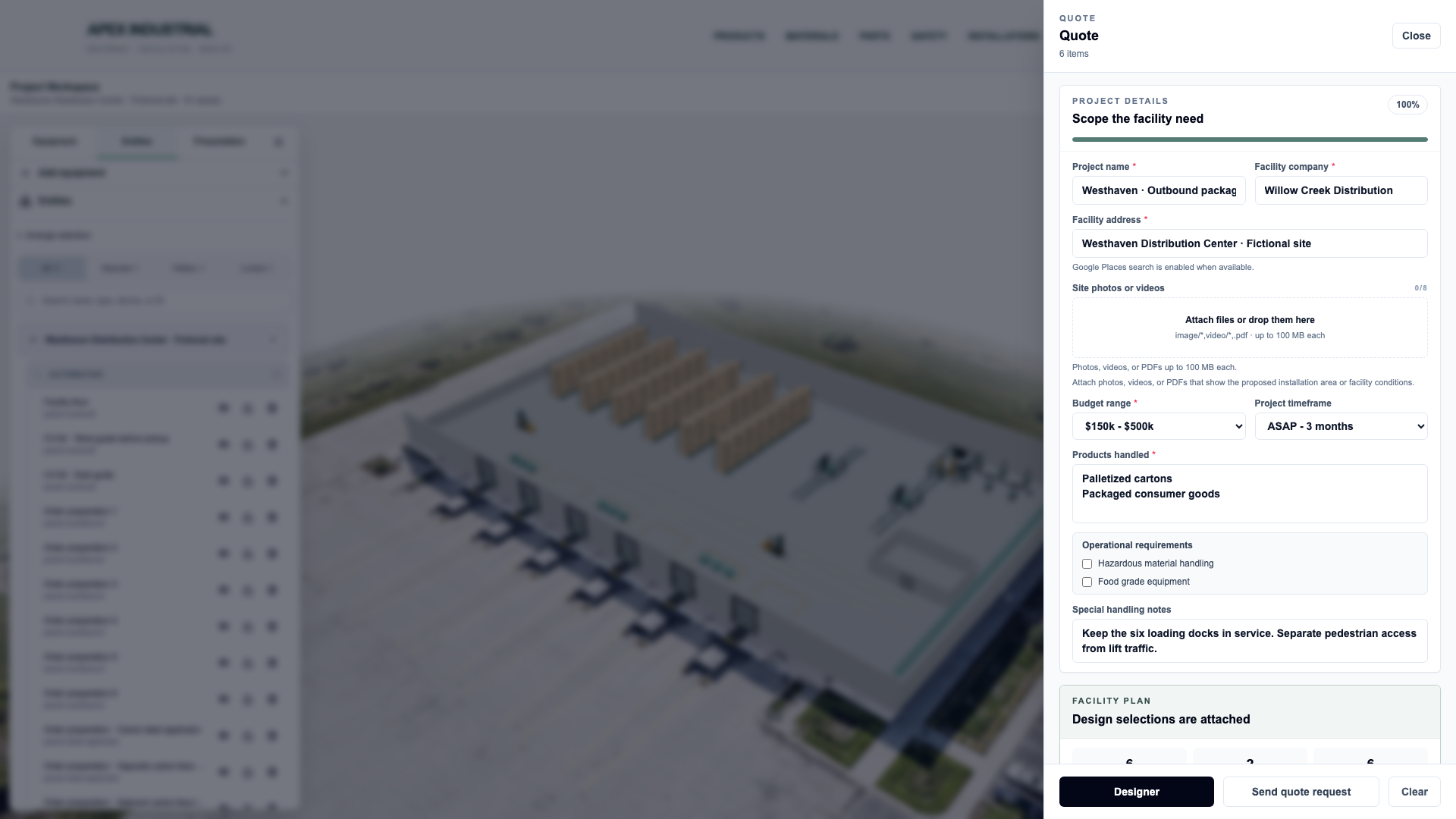
Start with a customer’s RFQ or a sales representative’s first visit. Bring your catalog into their space, walk through the design and prepare a proposal they can share with other decision-makers. The same customer, site and equipment provide context for the work that follows.
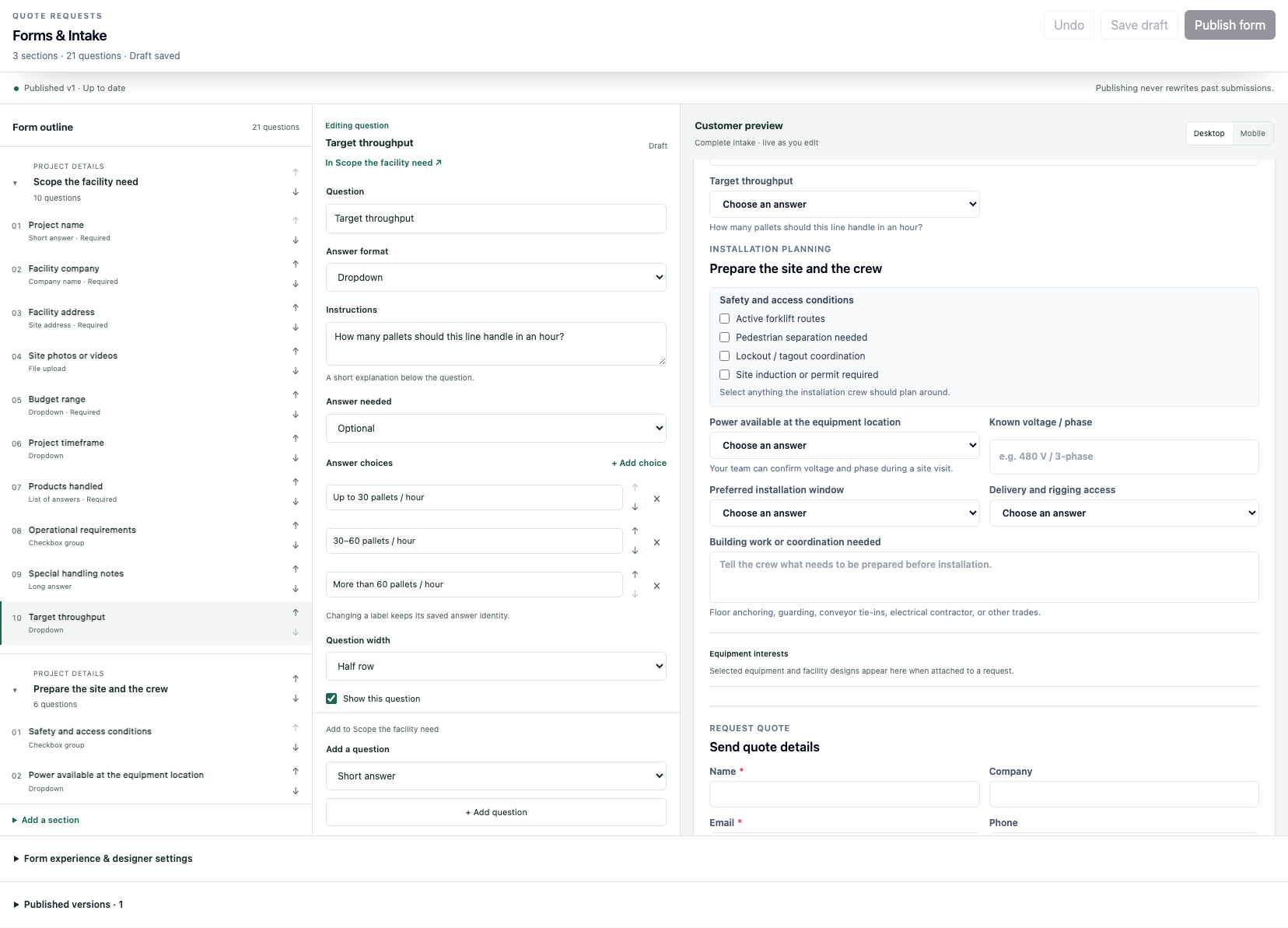
Your process. Your intake.Your team can customize quote-request forms without a developer.See the form editor +
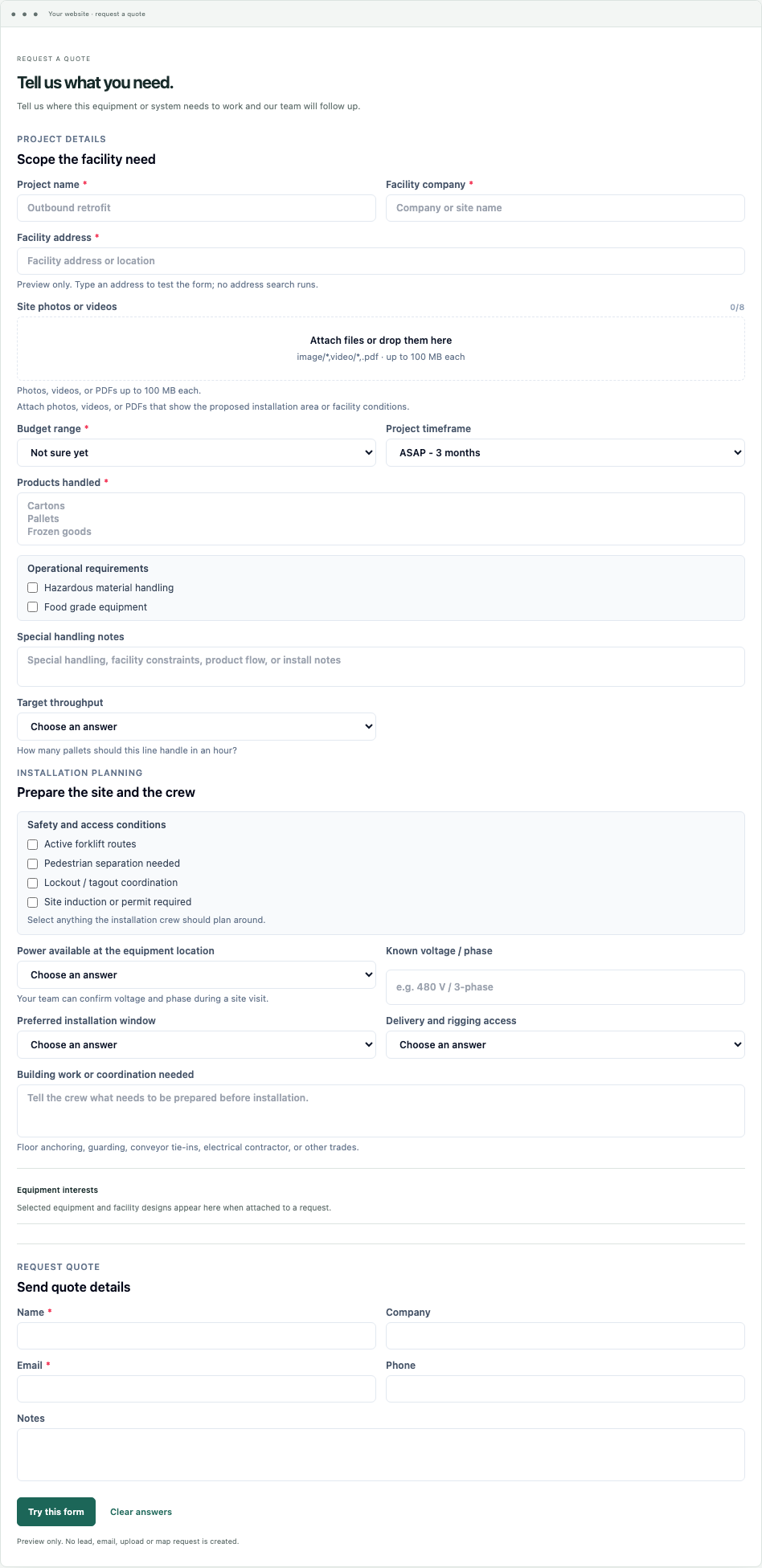
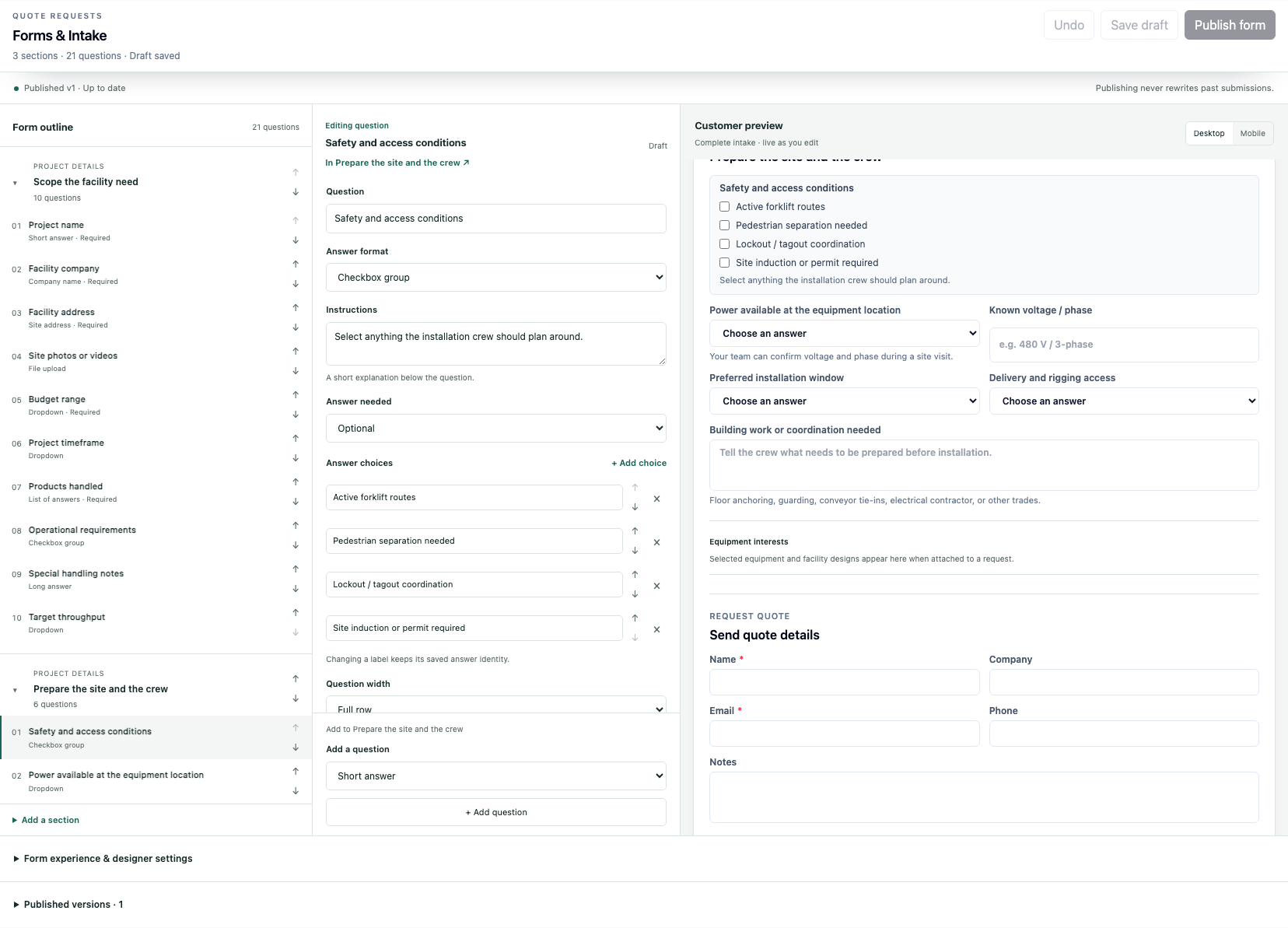
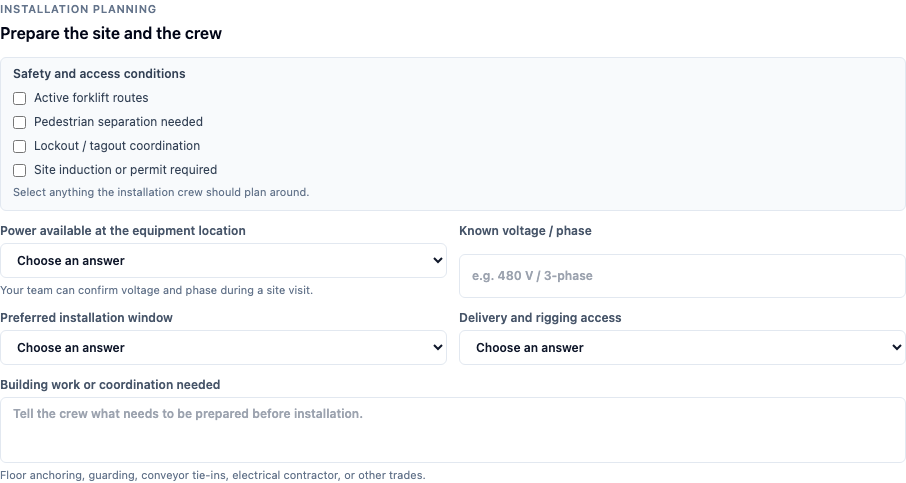
Your team shouldn’t need a developer to change a question. Ask about the equipment, safety, power, access and installation work. Then preview what customers will see before you publish.
Edit the intake
Your team’s workspace
↗
See the result
Your customer’s form
↗
Plan the work
Ask what the crew needs to know
↗
Before the visit
Site-readiness details
↗
Add, reorder or duplicate questions and edit answer choices. Save a draft, review it, then publish. New requests keep the form version and answers they were submitted with.
The same configured questions connect the editor and customer views. Select an image to inspect it.
RFQ → Design → ProposalOne customer · One site · Shared equipment contextYour team directs each handoff
Your website · Your questions · Their requirements
Start with the conversation. Keep it with the site.
A customer can request a quote from your website, or your representative can capture the opportunity on a visit. Equipment interests and your configured intake stay within the branded design experience.
Their RFQ · Your equipment · A reusable starting point
Show what you sell. Where it will go.
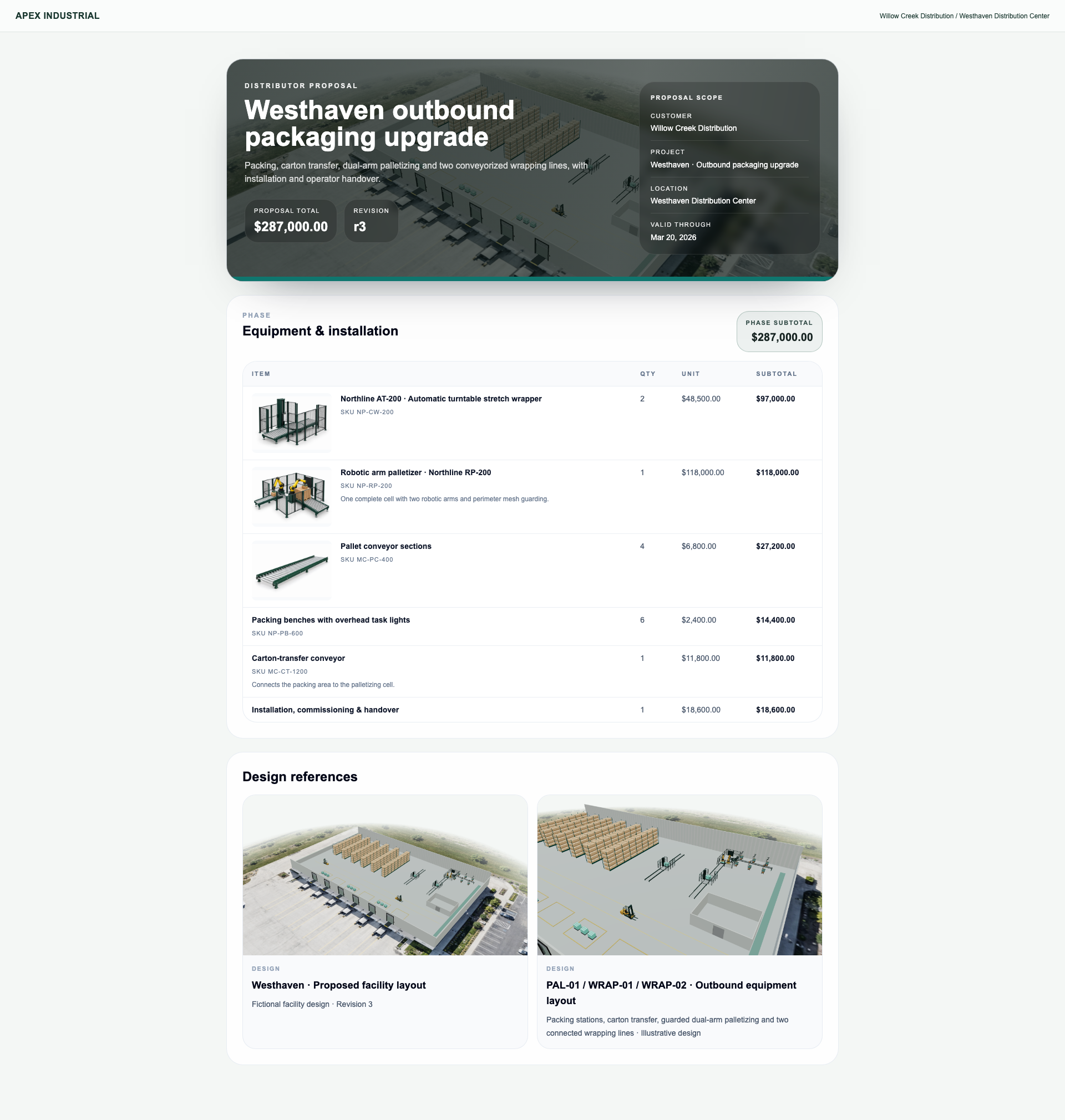
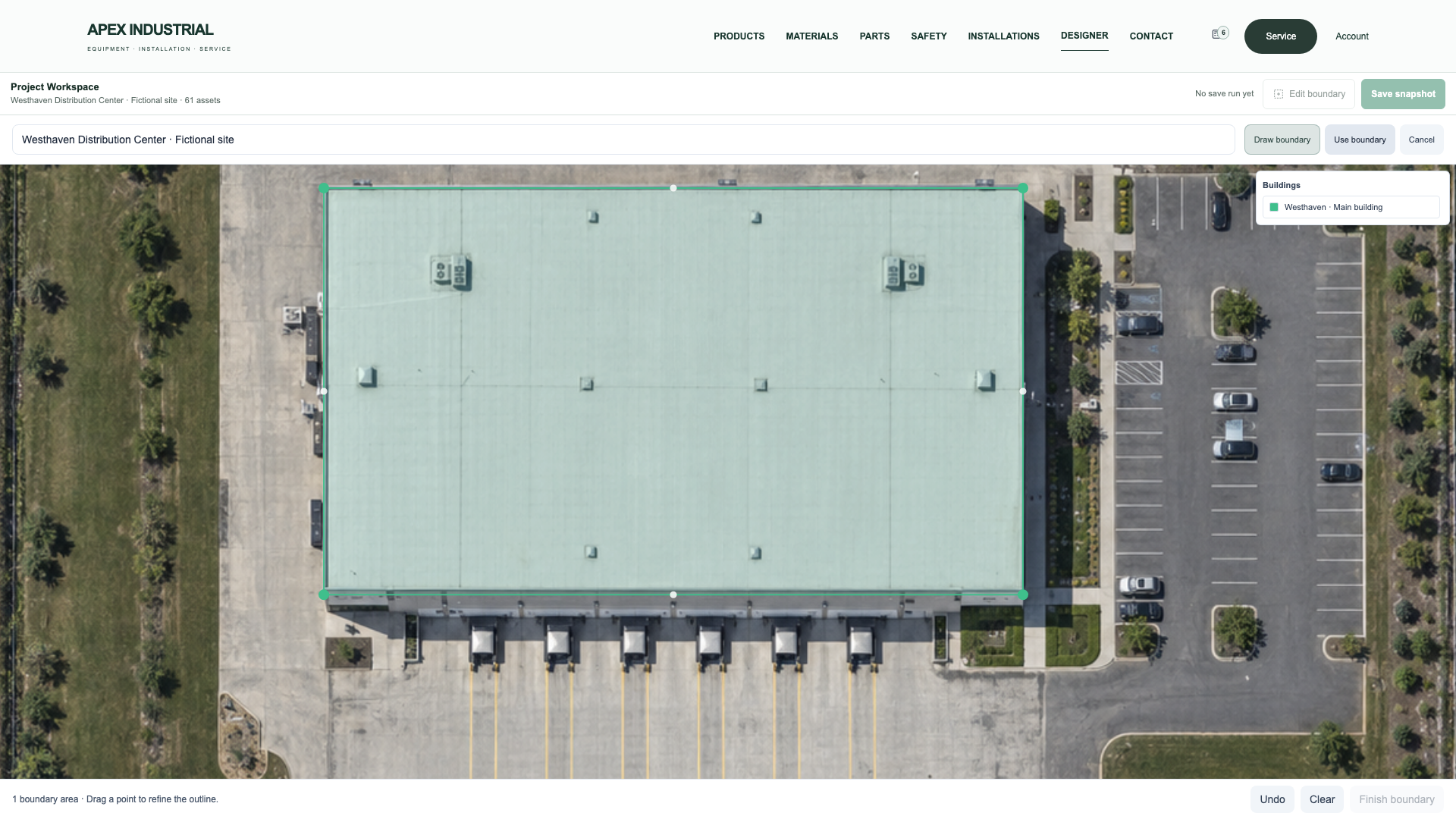
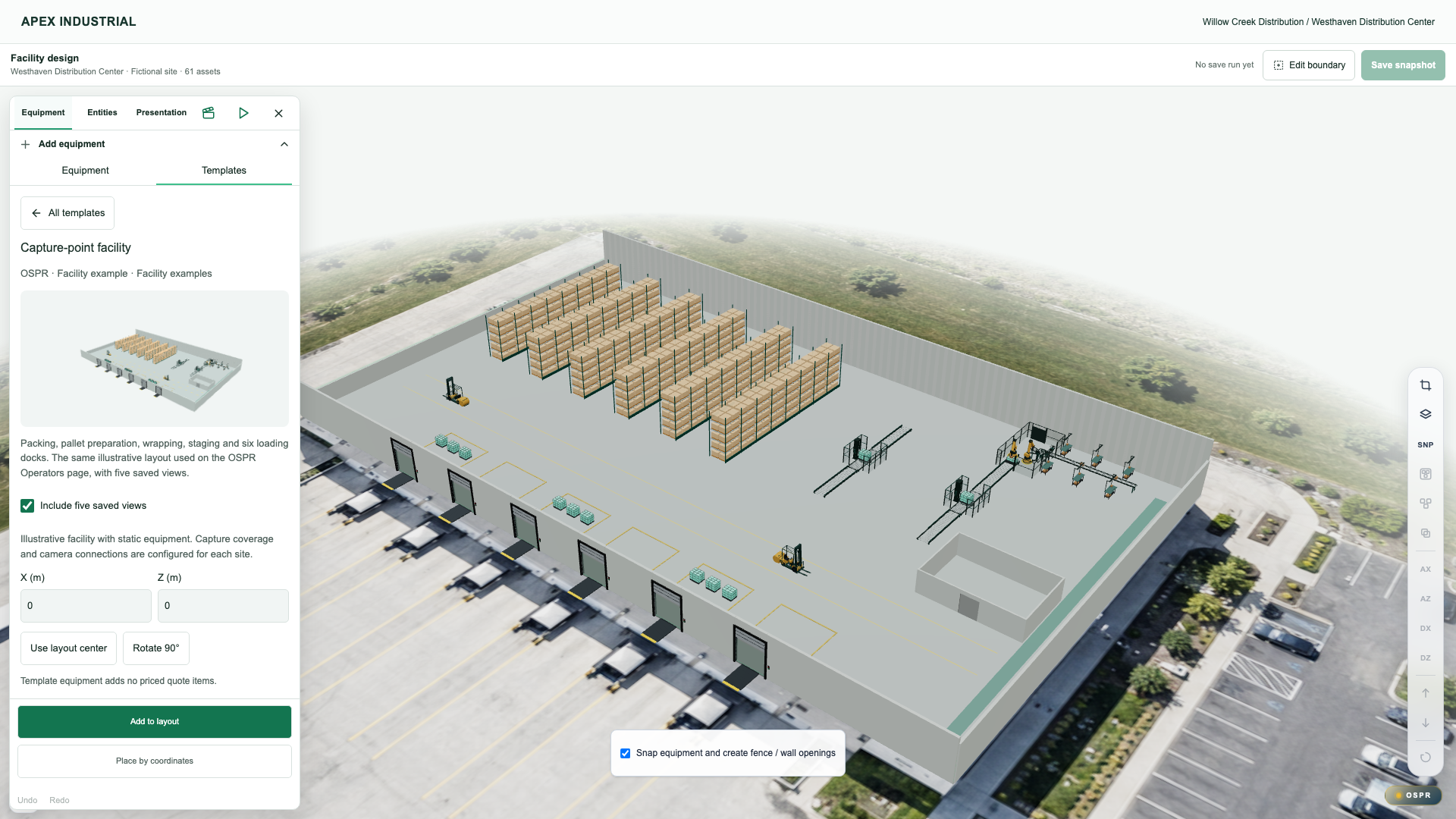
Bring catalog equipment and reusable templates into the customer’s building. Refine the packing, palletizing and wrapping layout with the RFQ’s site and equipment context at hand.
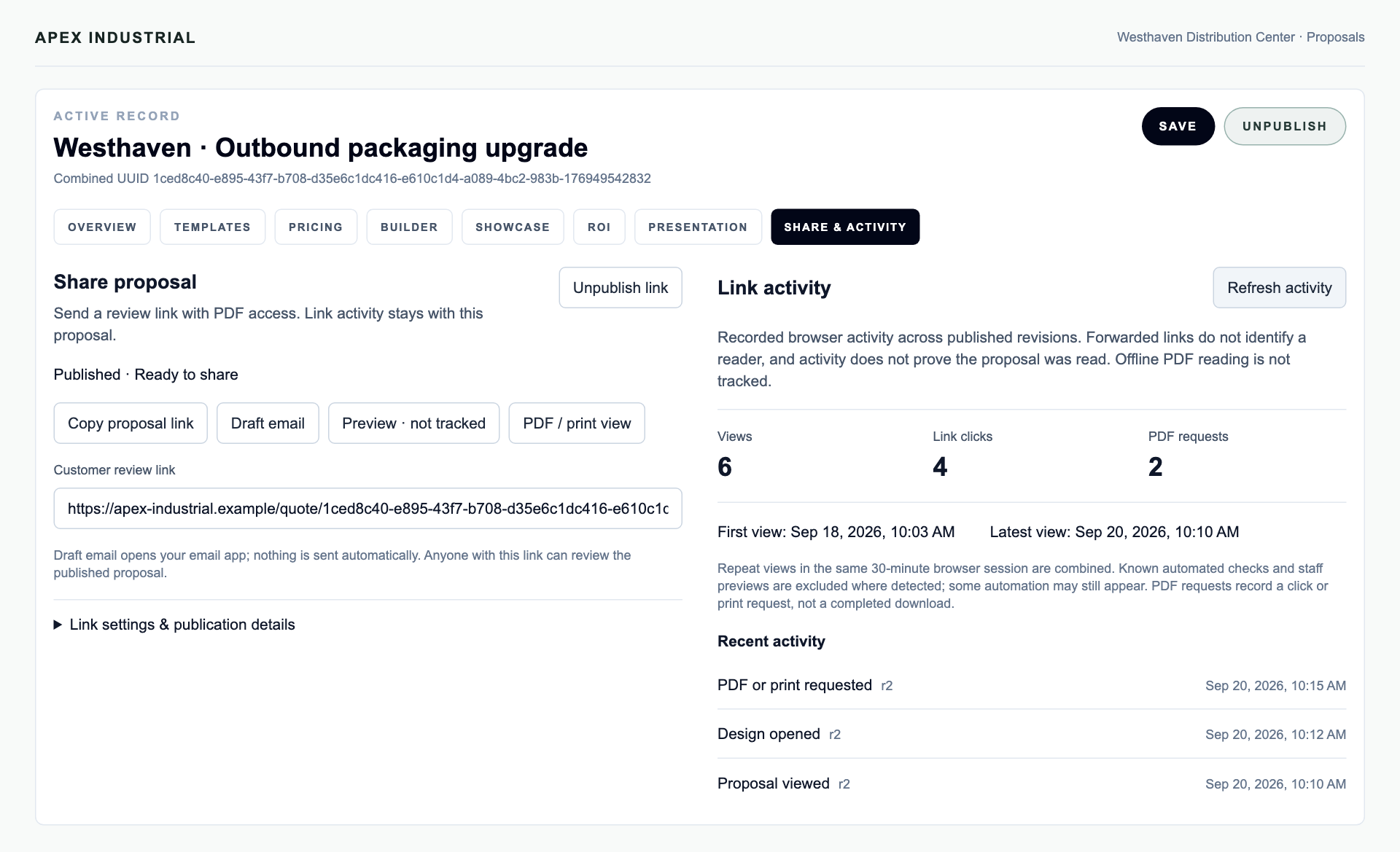
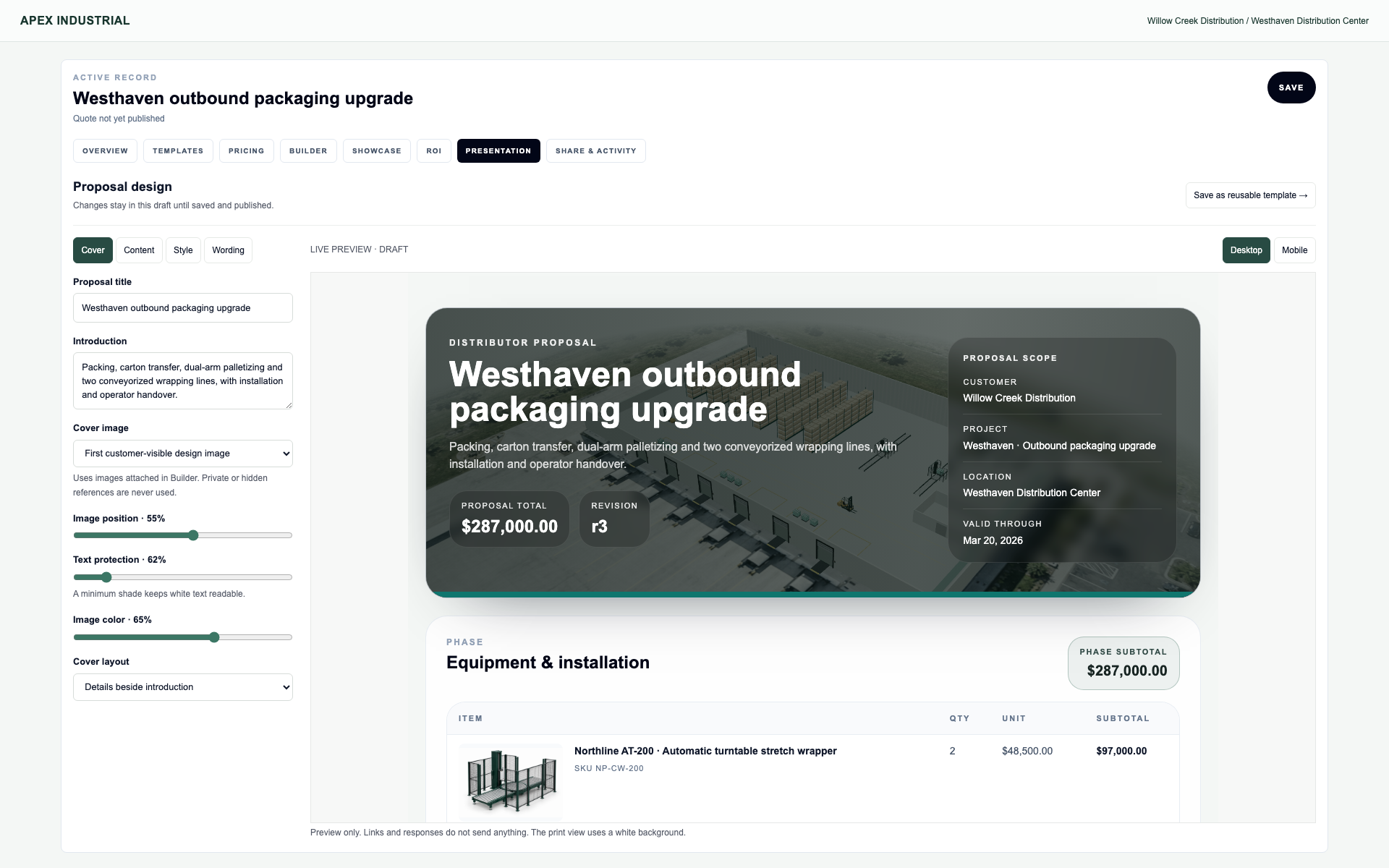
Bring the reviewed design and line items into one proposal. Customize its cover, wording and presentation, then reuse the template. Share a link and PDF with decision-makers.
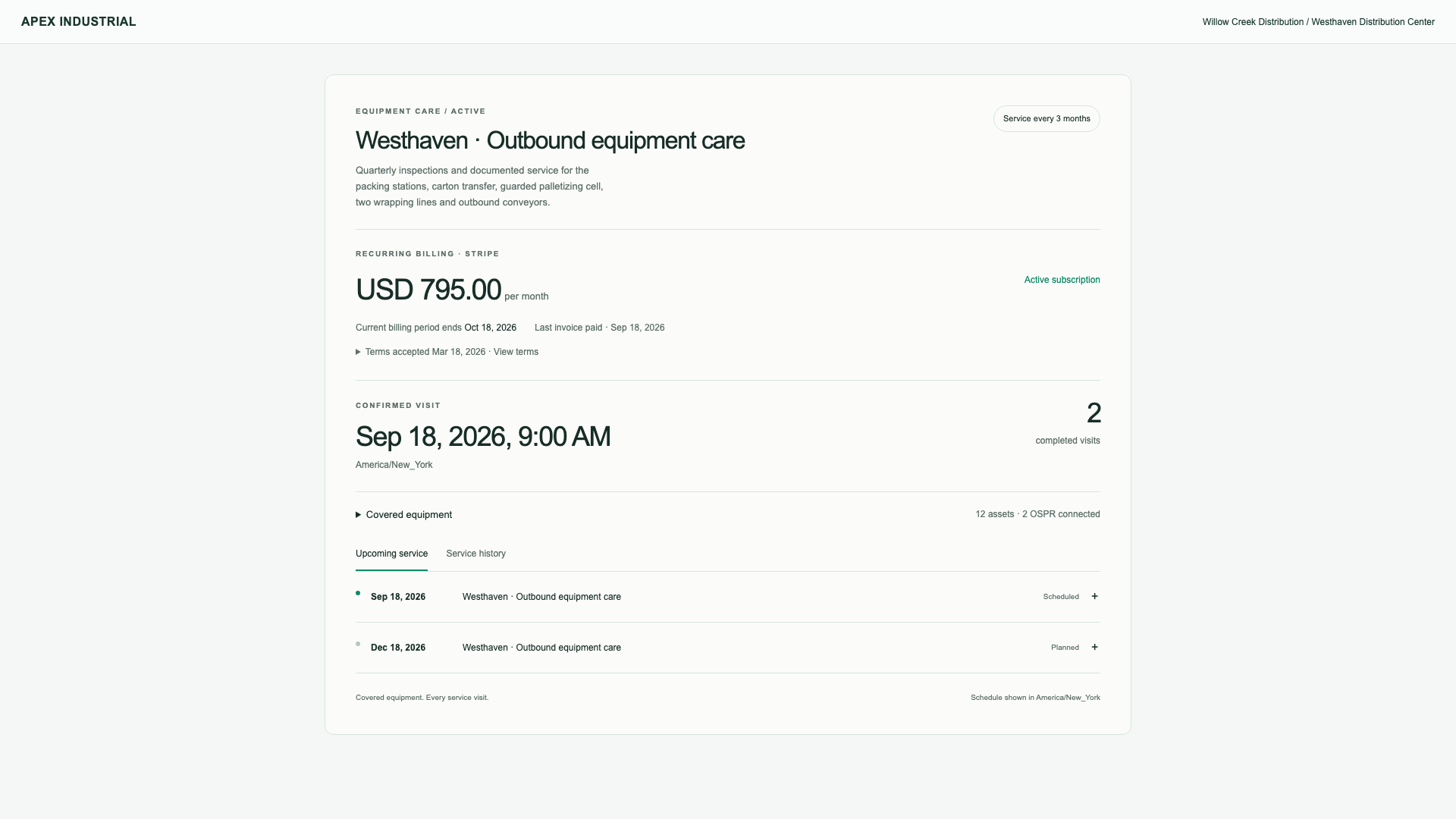
Accepted terms · Recurring billing · Planned service
Make ongoing service part of the plan.
Define the service scope, price and billing interval. Let customers accept the terms, then keep Stripe billing and upcoming maintenance visible together.
Proposal amounts illustrate equipment and installation, not OSPR platform pricing. Your team reviews and directs each handoff.
03 / Built around what you sell
Your brands. Your equipment. Your website.
Present the equipment you distribute in a website that feels like your business. Connect your catalog to the customer’s site plan and give your team control over what customers see.
Product photography · Details · Quote request
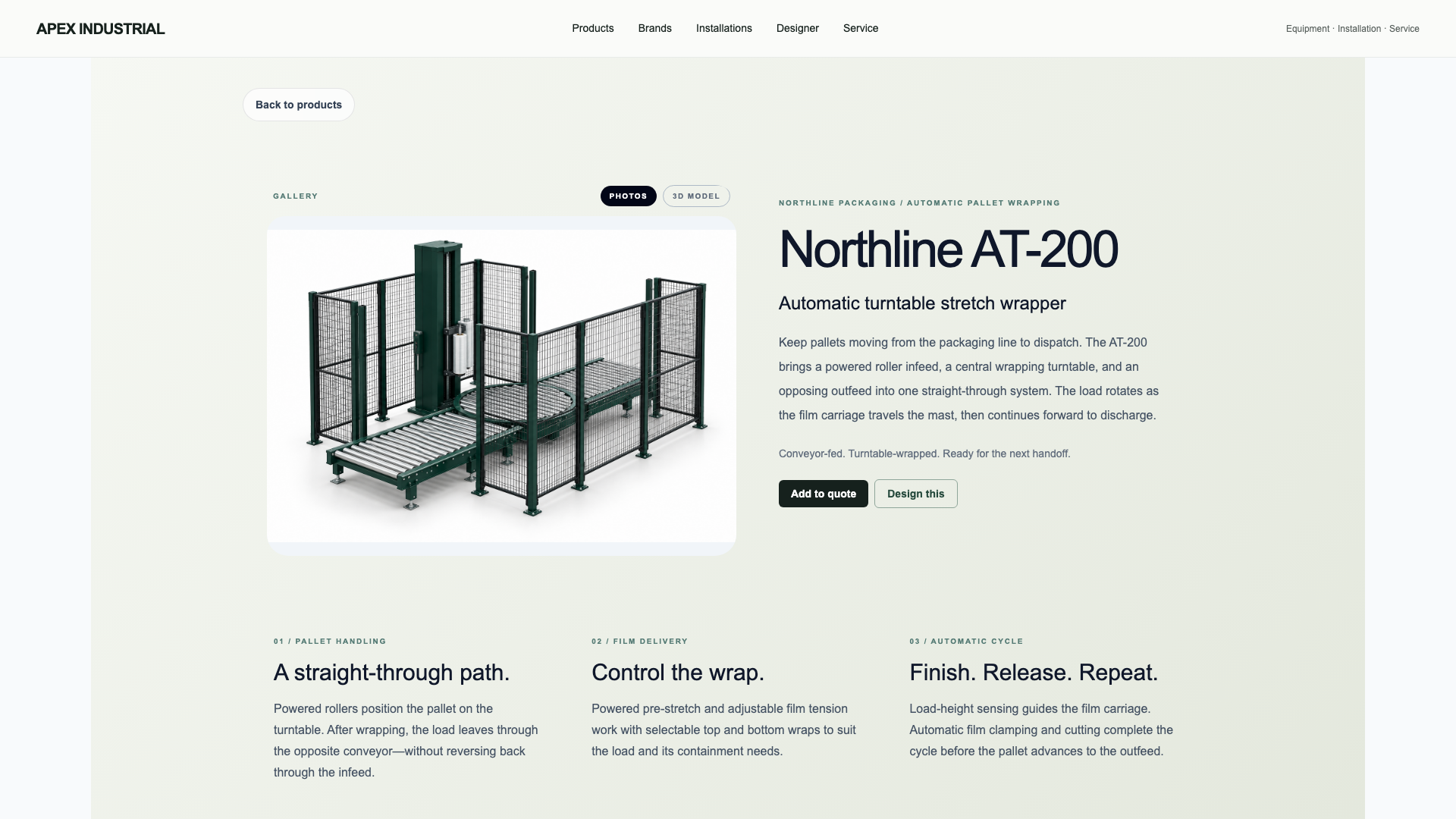
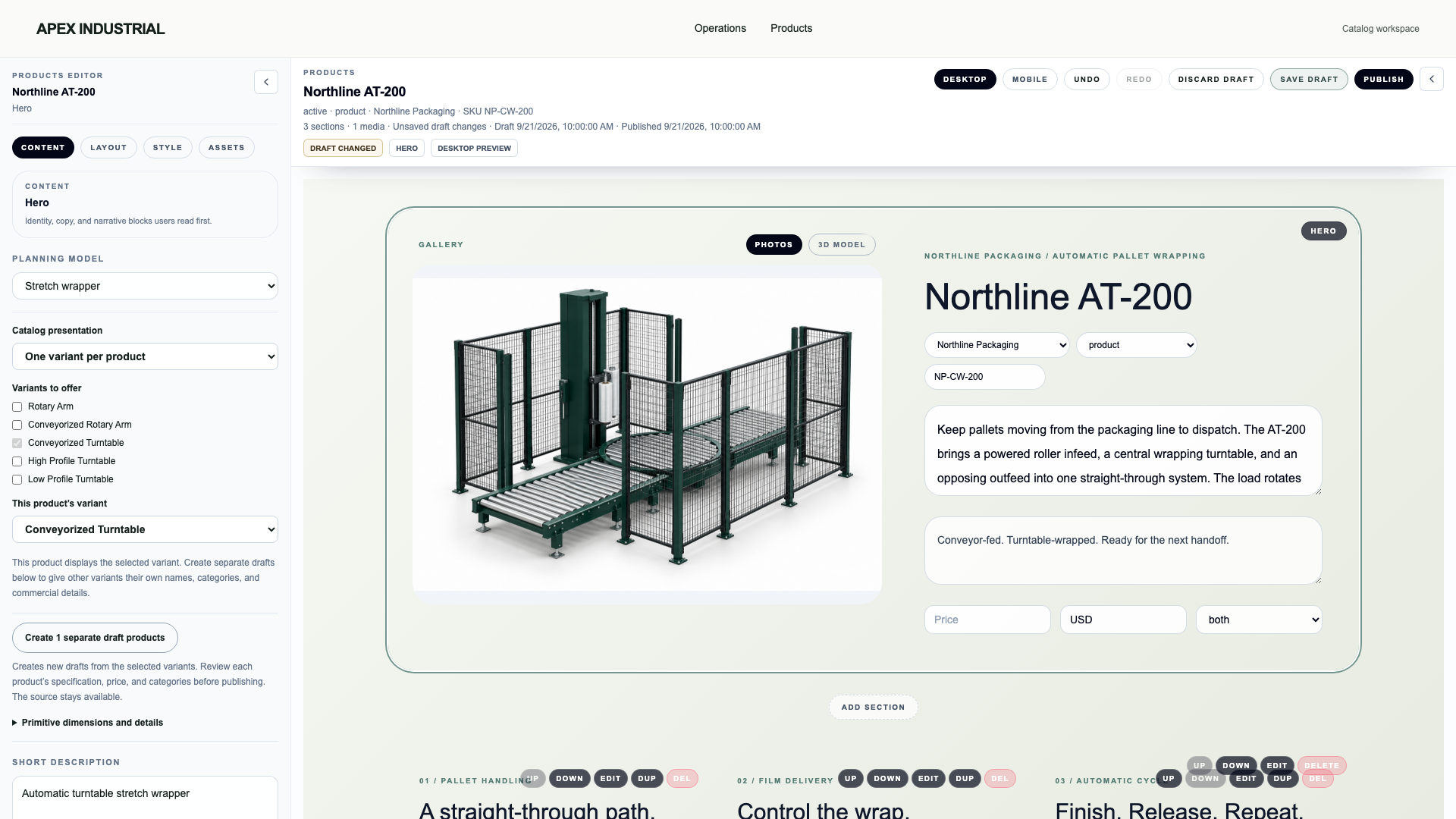
Give the equipment a proper introduction.
Present each model with clear photography, operating features and application details. Customers can add the equipment to a quote request or place it in a preliminary facility layout.
Brand identity · Product associations · Public presence
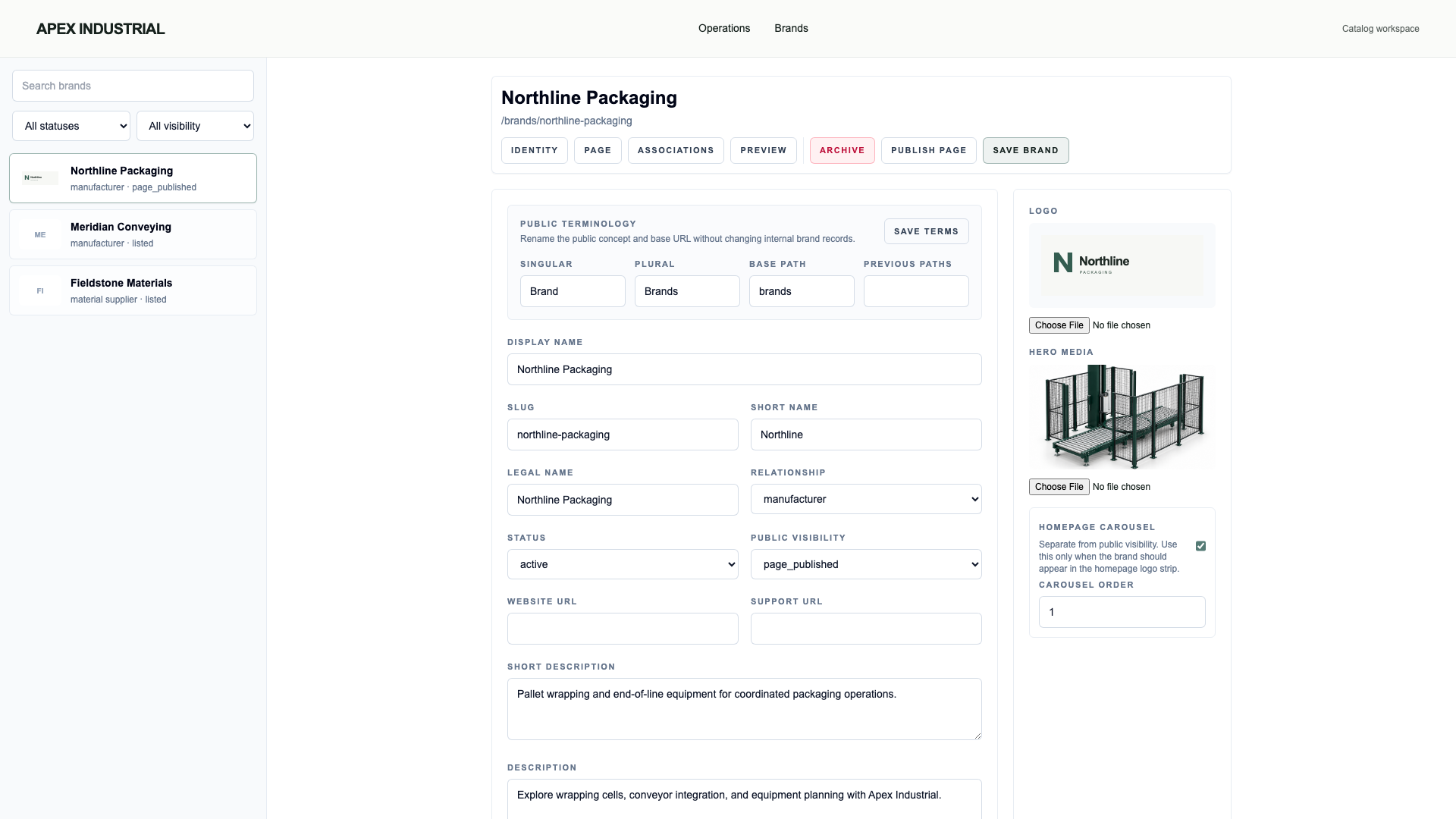
Build a home for the brands you carry.
Manage brand identity, associated products and public visibility. Give customers a coherent way to explore the equipment lines your company represents.
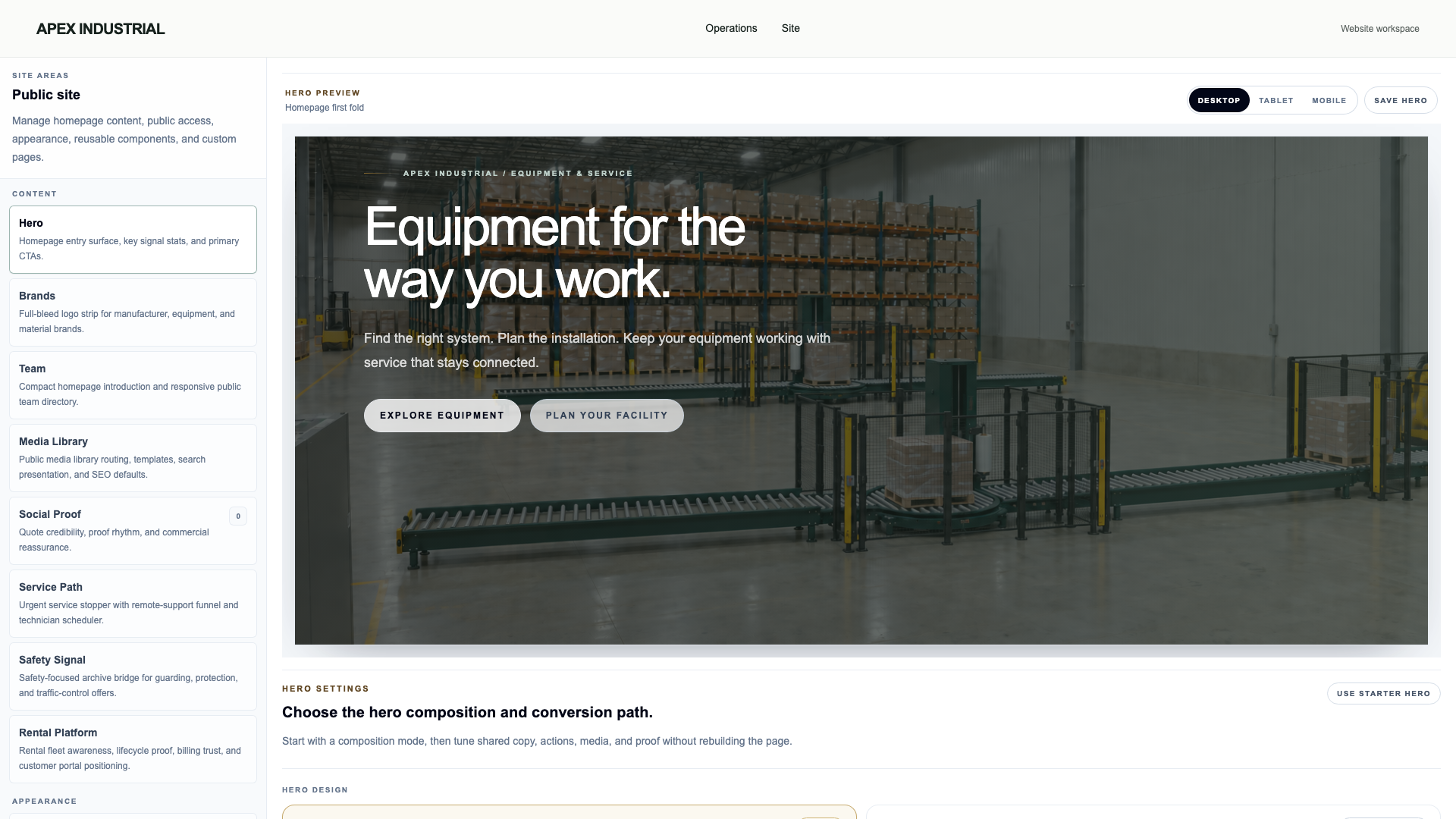
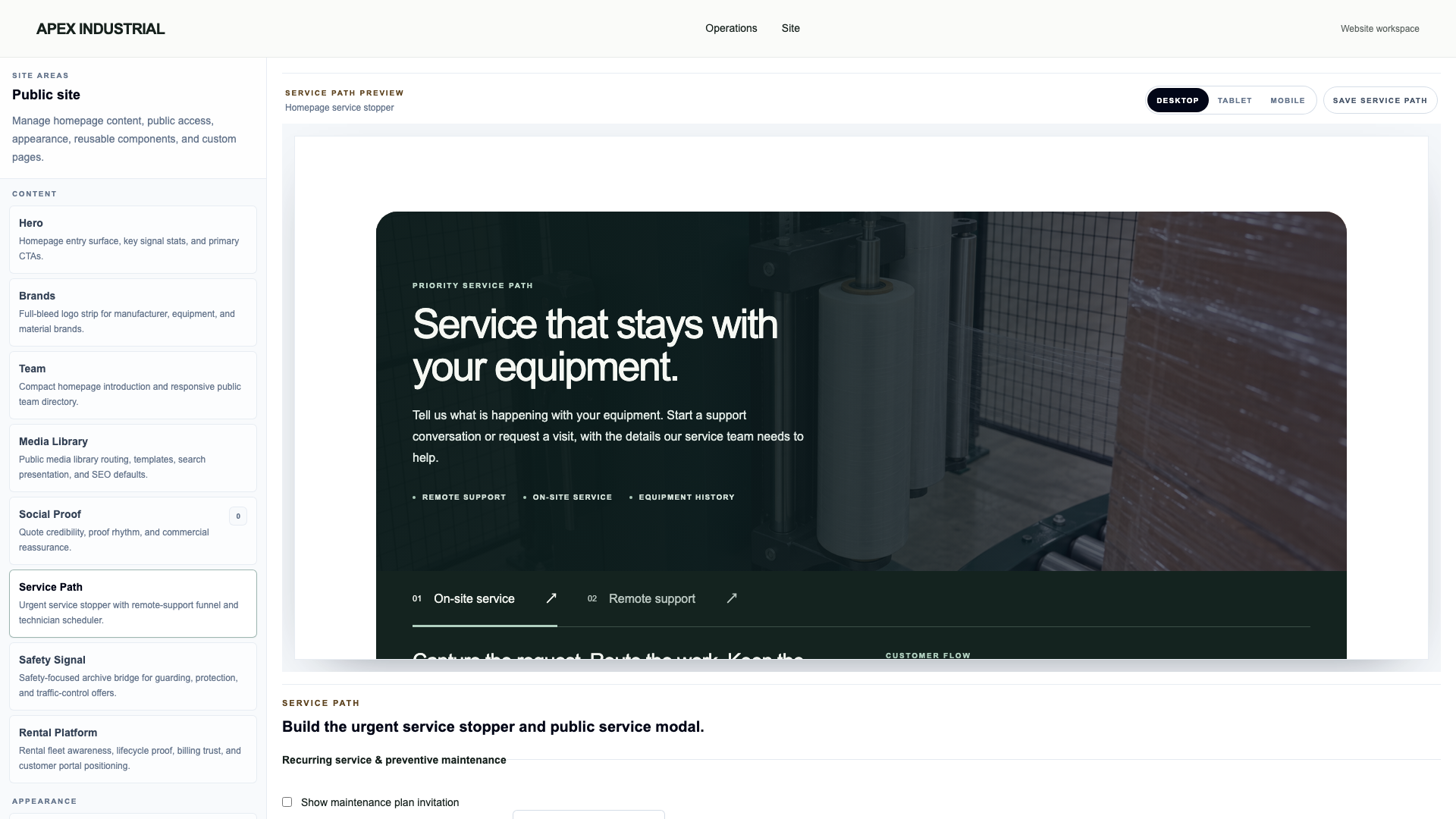
Change homepage content, imagery, brand presentation and service messaging in a visual workspace. Preview desktop, tablet and mobile layouts without hiring a development team for everyday updates.
Your team shapes the website. OSPR takes care of it.
We set up and maintain your website. Your team manages everyday content and presentation; we work with you on additional design, integrations and platform customization around your business. You’re not locked into one way of working.
Beyond new equipment
Buy. Sell. Rent. Keep equipment working.
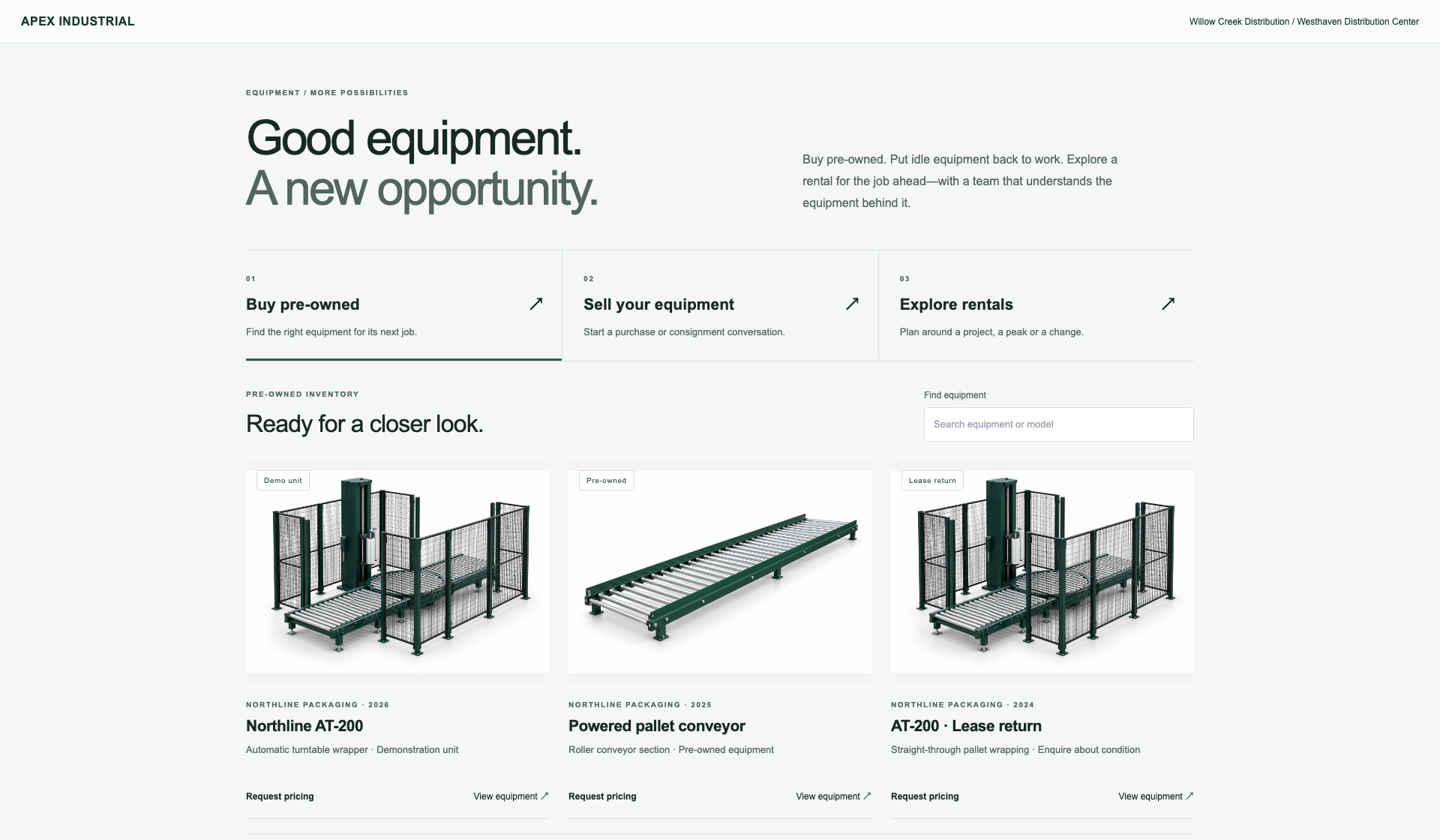
There is more than one way to serve the next customer. Review equipment offers, present approved pre-owned stock and manage rentals from your own branded platform.
Let customers explore approved equipment listings, offer equipment for private review, or discover rental options. Three clear paths inside your own website.
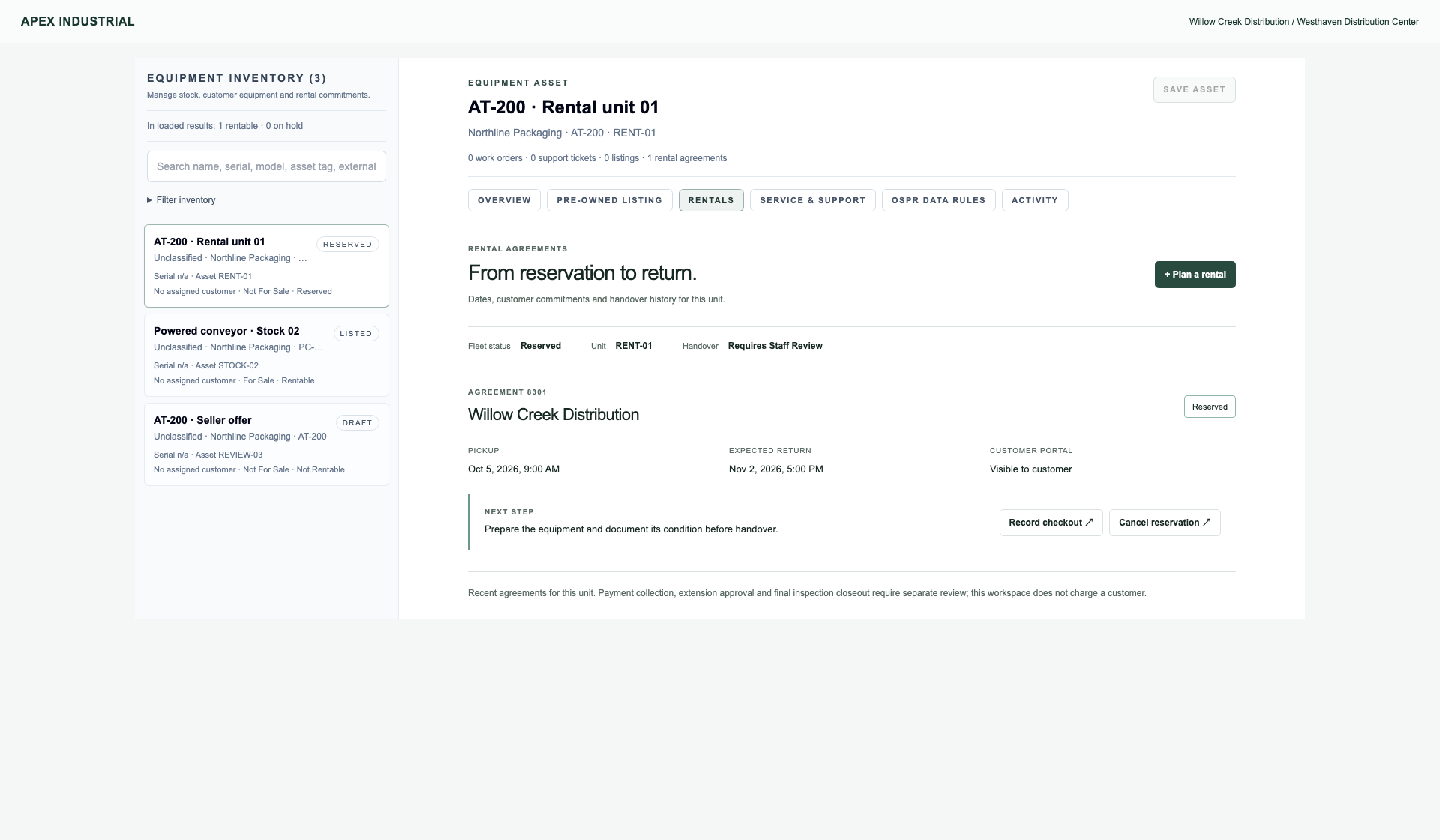
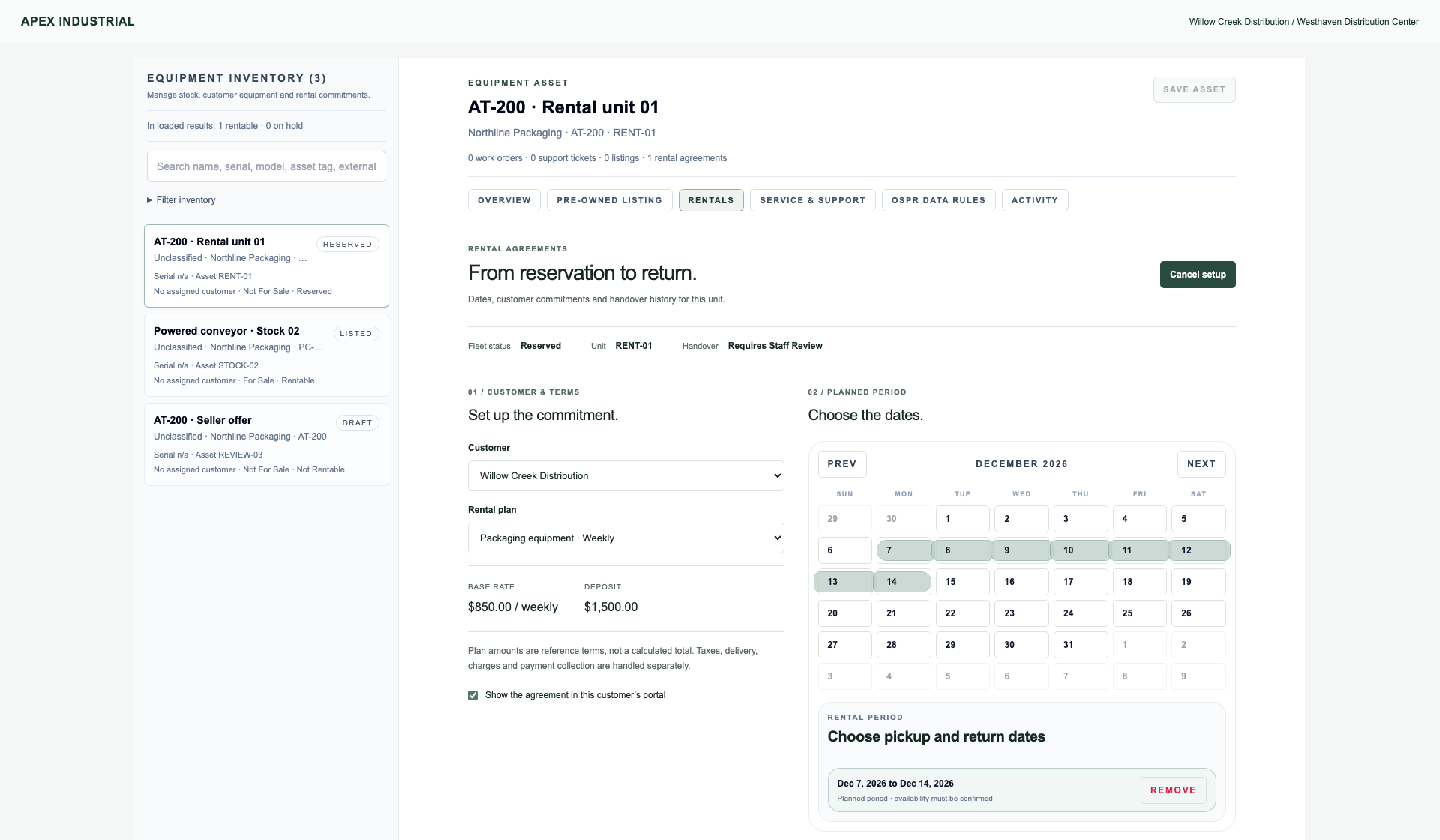
Work from the actual unit record. See the customer, agreed period and next step, with reservations and returns kept distinct from inspection and closeout.
Choose the customer and plan, set pickup and return dates, and review the commitment before creating a reservation. Your team confirms stock availability and terms; choosing dates is not an automatic booking.
Seller submissions are private review requests, not completed purchases. Rental examples do not demonstrate automated availability, charging or financial settlement.
Your catalog is more than a display. It is the starting point for a customer conversation.
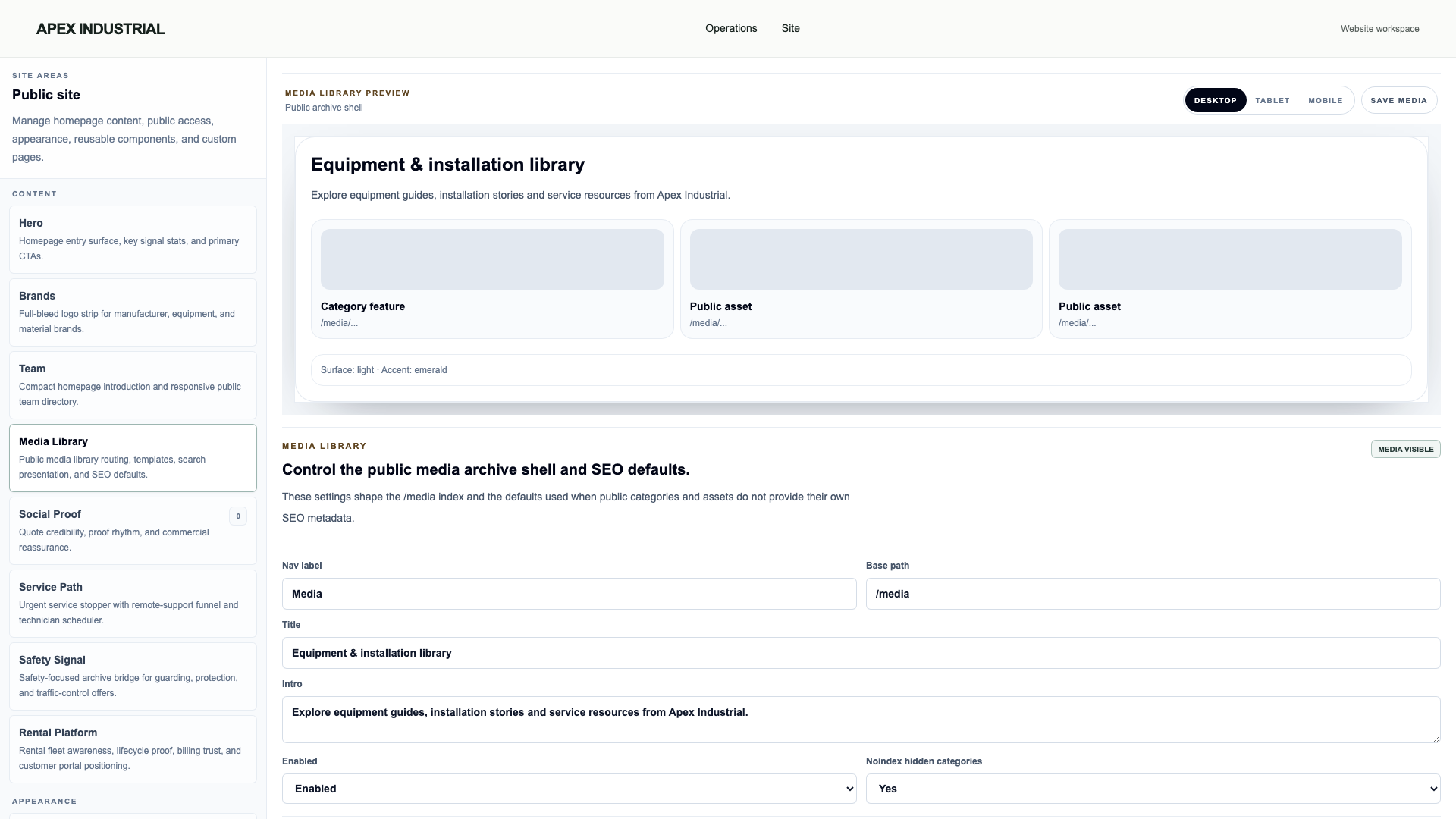
Help customers find equipment, review your work and get in touch. Your website is built for quick loading, clear navigation and easy use on a phone.
Search-friendly from the start.
Page titles, descriptions and sitemaps help search engines understand your products, brands and installation pages.
Your developer is OSPR.
A WordPress site can rely on separate theme and plugin suppliers. OSPR develops and maintains your website and connected workflows. Your team has one place to turn, without a WordPress plugin stack to coordinate.
Keep the paths customers know.
Moving from WordPress, Squarespace or another platform? We help transfer agreed content, keep existing web addresses where practical and redirect changed links to the right pages.
An example link plan Existing address → After the move
Keep the address/conveyors/
→/conveyors/
Forward to the matching page/equipment/at-200.html
→/products/at-200
Content transfer and link mapping are scoped with your website. Redirects help preserve access and search signals; rankings can fluctuate during a move and are not guaranteed.
04 / Work worth showing
Document the install. Show what your team delivers.
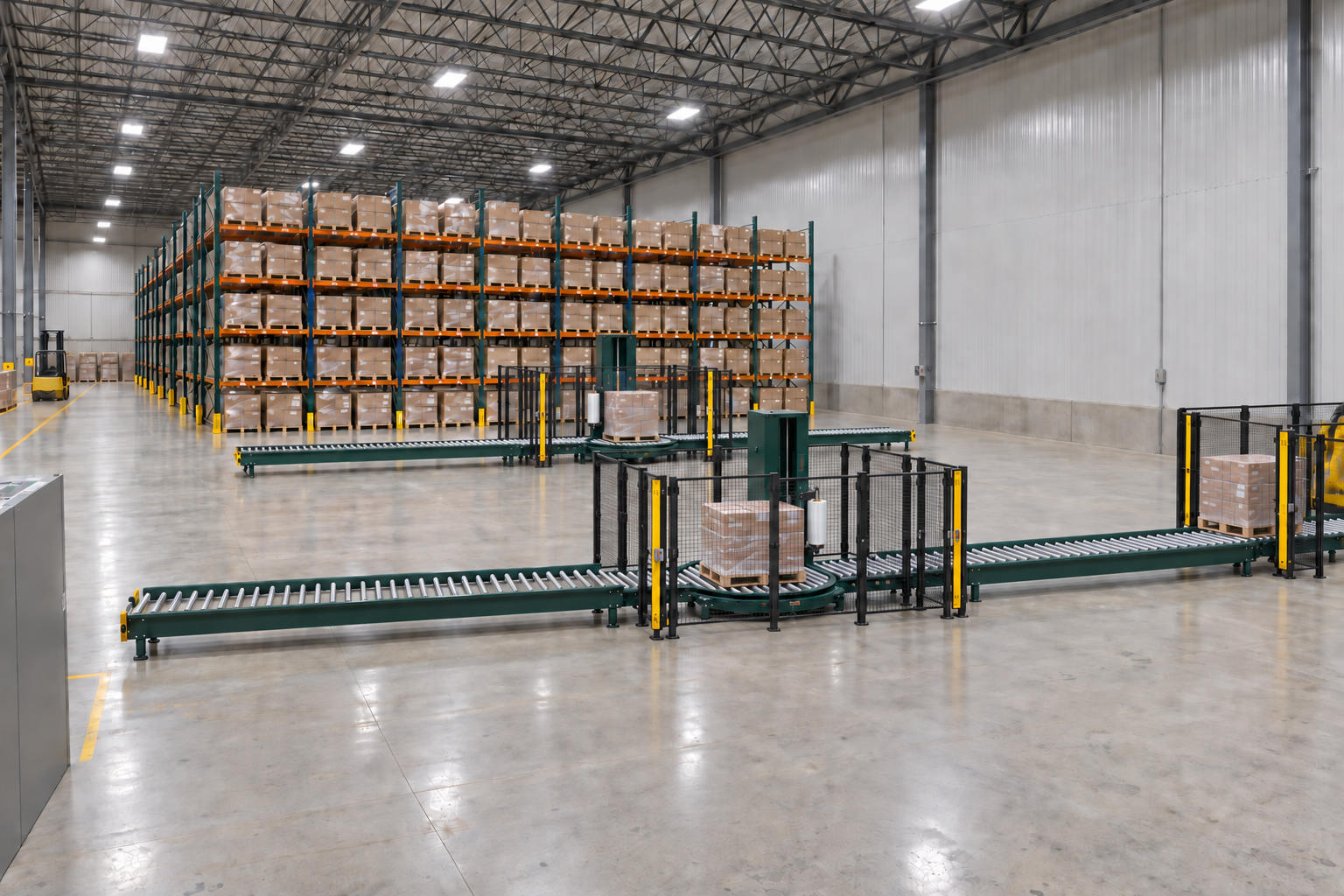
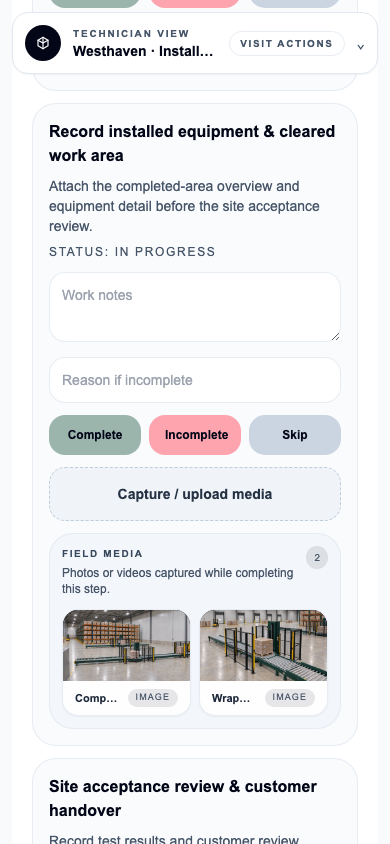
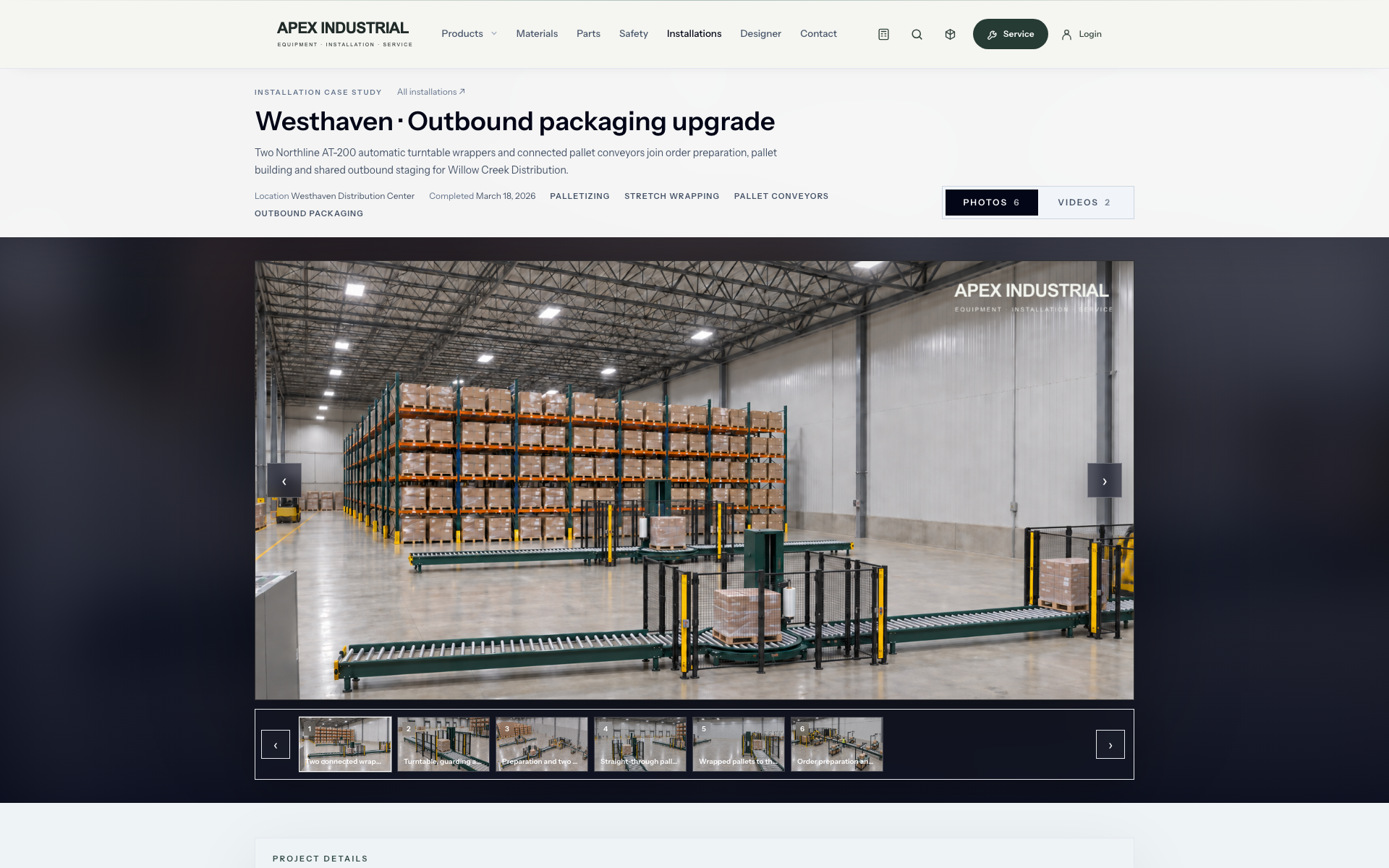
Capture the completed equipment and cleared work area in the installation job. Prepare approved images for a branded installation page on your website.
Installation overview Equipment and work areaAttached to the site-acceptance job.Site-acceptance review pending
01 / Record
Keep it with the work.
Photos and procedure context belong to the installation record.
02 / Finish
Prepare branded media.
Use OSPR’s media tools to prepare presentation-ready versions with your branding.
03 / Review & publish
Build your installation portfolio.
Select approved media for a customer-facing installation page. Private field records are not automatically public.
Turn the knowledge and dependability customers trust into a service offering they can plan around. Define the commitment beyond the next call with remote support, on-site preventive maintenance and a record of the work.
Billing and maintenance have separate schedules. Planned visits become appointments when scheduled.
01
Put the scope in writing.
Record the covered equipment, service scope and maintenance cadence. Give your team and customer something concrete to work from, beyond a verbal promise.
02
Set the price and billing terms.
Choose a recurring amount and billing interval. Customers review the terms in their portal before completing Stripe Checkout through your connected account.
03
Make dependability visible.
Keep upcoming care, confirmed appointments and completed visits in the customer’s service timeline. Make the ongoing value of your team’s work easier to see.
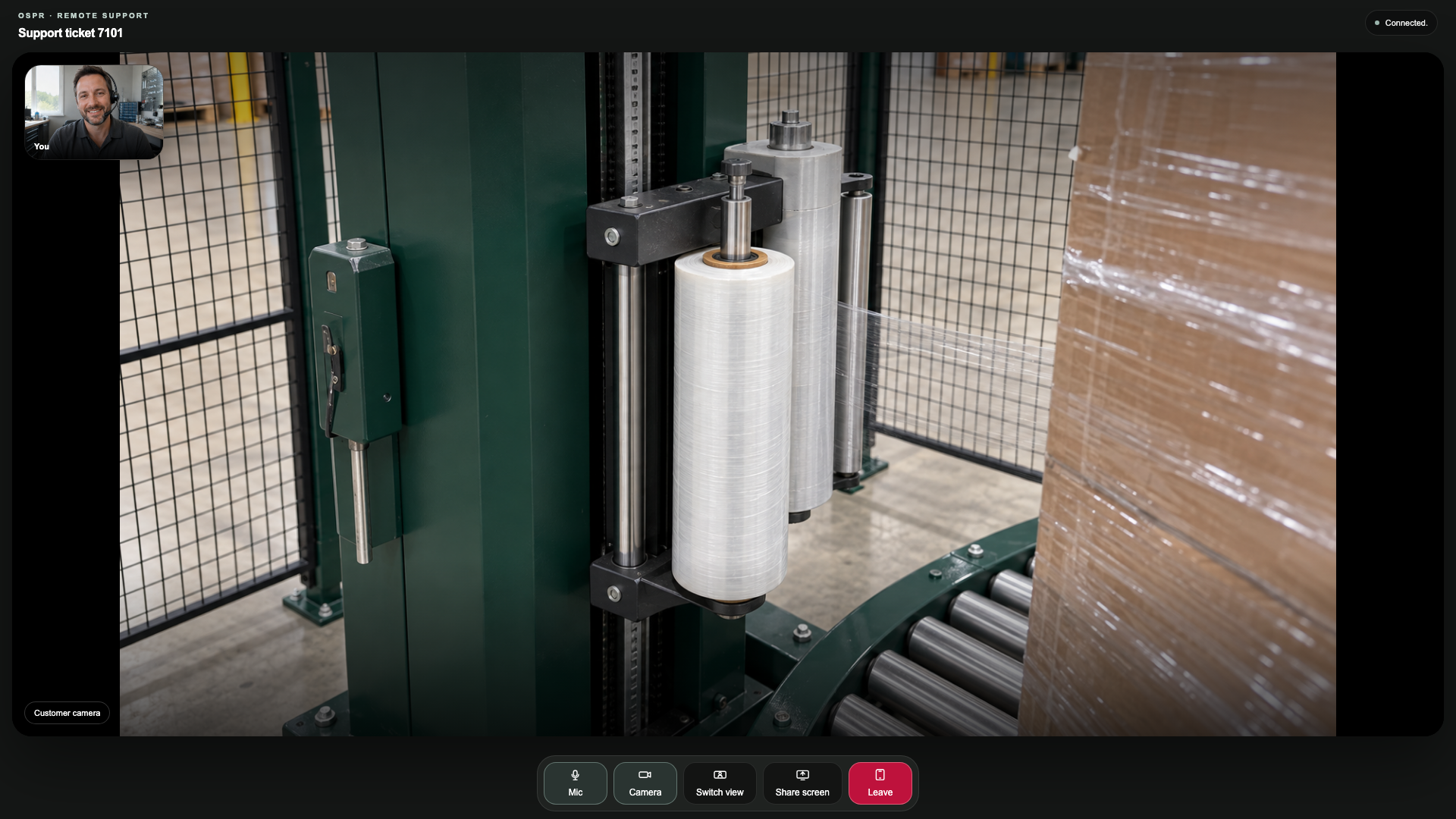
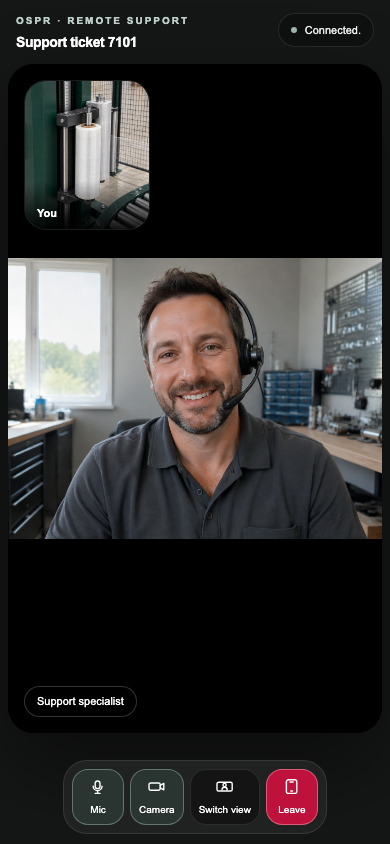
Bring your team and customer into a remote-support room. See the equipment, discuss the issue and decide what needs to happen next.
Provider technicianDesktop · See the customer’s equipment.Customer at the equipmentPhone · Show the issue and talk it through.
Two sides of the same support session, with the machine stopped for inspection.
06 / An OSPR distributor relationship
Know how it runs. Support what comes next.
Become an OSPR distributor and bring capture to the equipment you sell, from process lines and conveyors to dock doors. With customer-authorized visibility, give your service team a clearer starting point for the support customers count on.
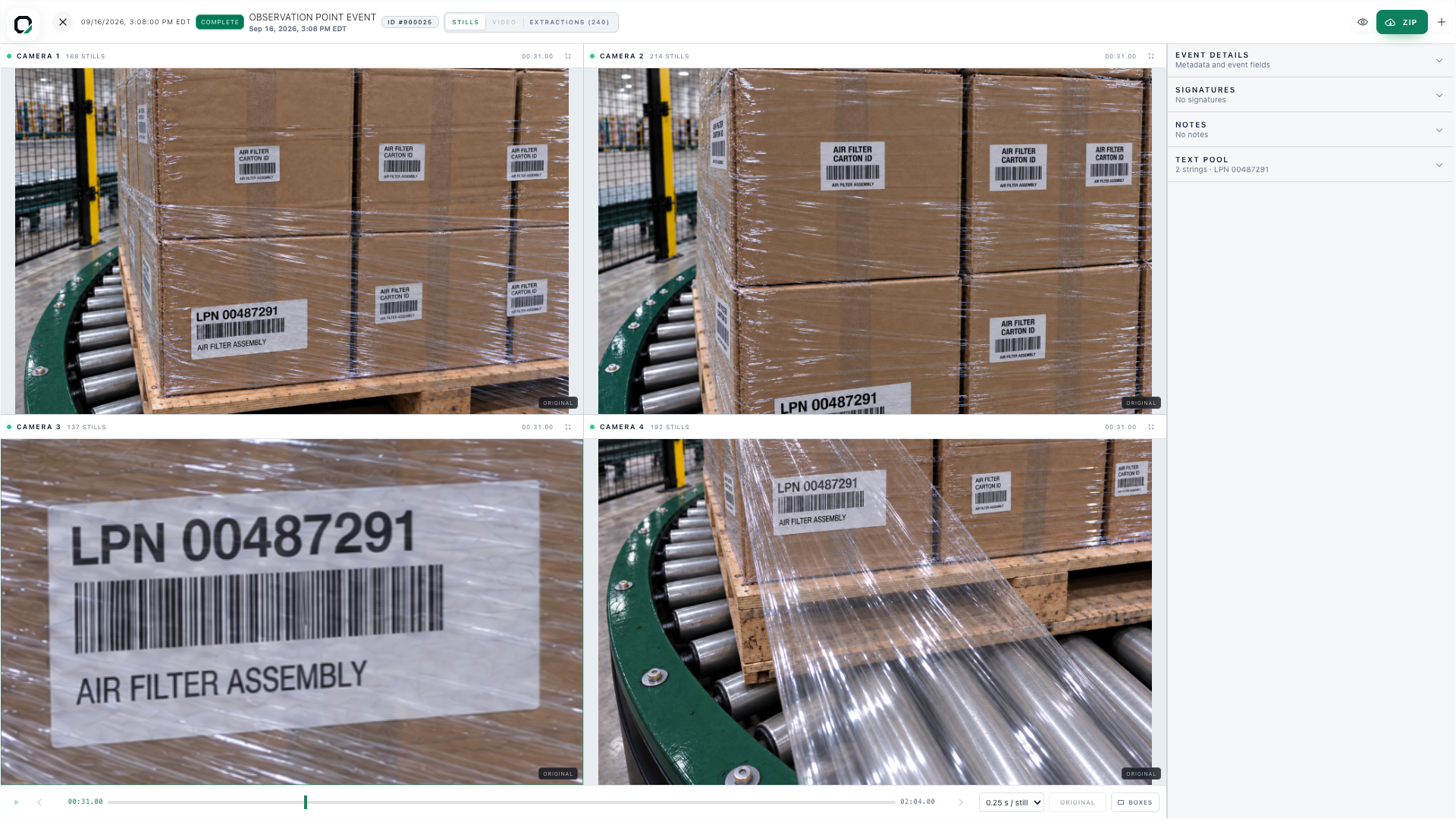
OSPR operator application · Retained camera views and event history.
02 / Get a closer lookBring your specialist into the conversation.
OSPR Provider Platform · Customer phone to technician desktop.
03 / Carry the work forward
Keep supporting what you helped build.
Review the retained event. Bring in your specialist. Carry the findings into the next work order and the equipment’s service history, so each visit builds on the last.
Operator evidence and provider support are separate records. Connecting them is part of the agreed implementation, with customer-authorized access.
Make ongoing support part of the relationship.
Build monthly, quarterly or annual service agreements around your expertise. Pair customer-authorized operating evidence with remote support and planned maintenance, with the scope and service cadence agreed with each customer.
The Provider Platform is a distinct offering. Becoming an OSPR distributor is separate; neither requires the other. Your customers do not need OSPR capture installed for your business to use the Provider Platform.
Connected by permission.
Customer operating data is not shared by default. Visibility and support access are scoped to each implementation and the customer’s authorization.
Your website should show why customers choose you. Turn approved installation media and the people behind them into a public presence that reflects your company.
Installation portfolio · Customer-facing website
Make completed work part of your next introduction.
Present completed projects on your website. Bring the equipment, site context, photos and videos together for your next prospect.
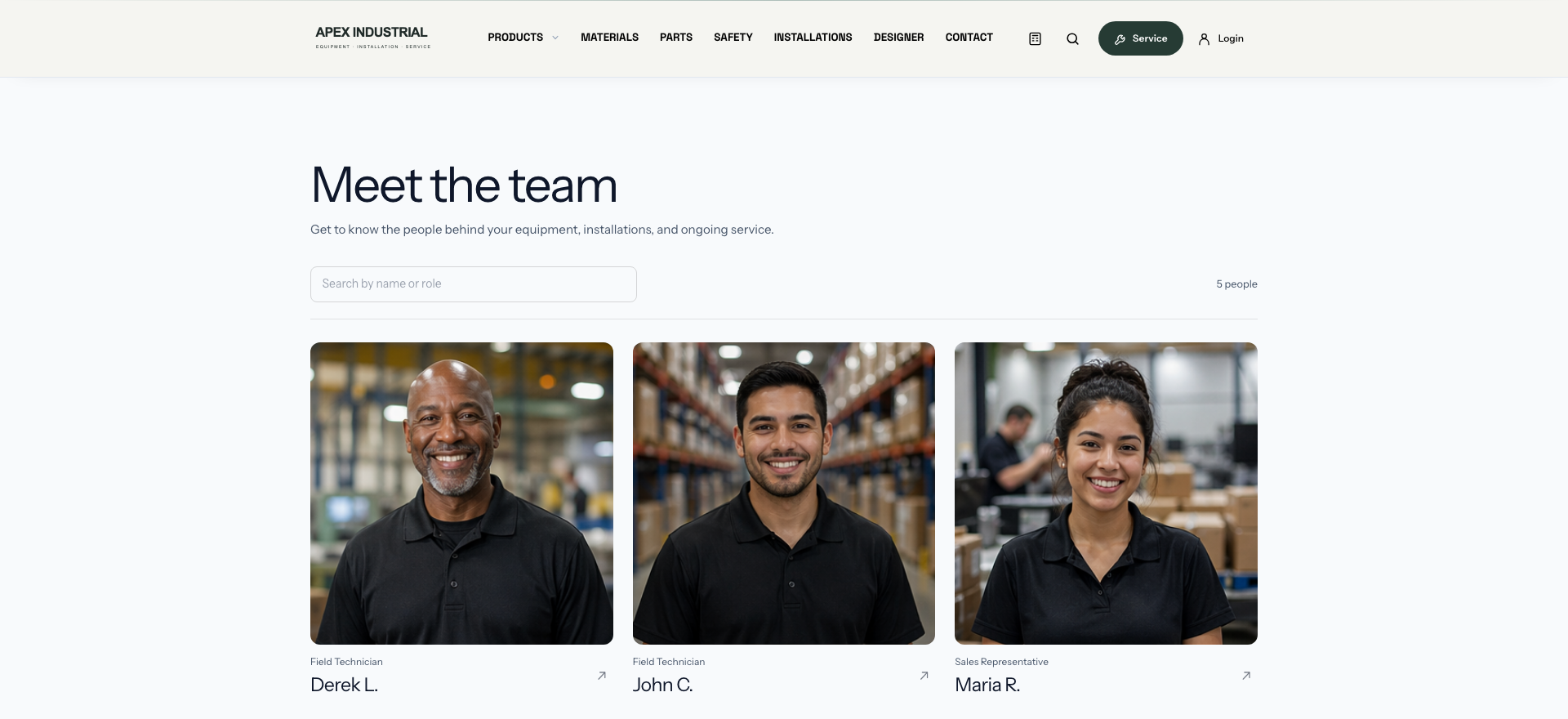
Introduce the people customers will work with. Bring your team’s roles and expertise into the same branded website as your equipment, services and installation portfolio.
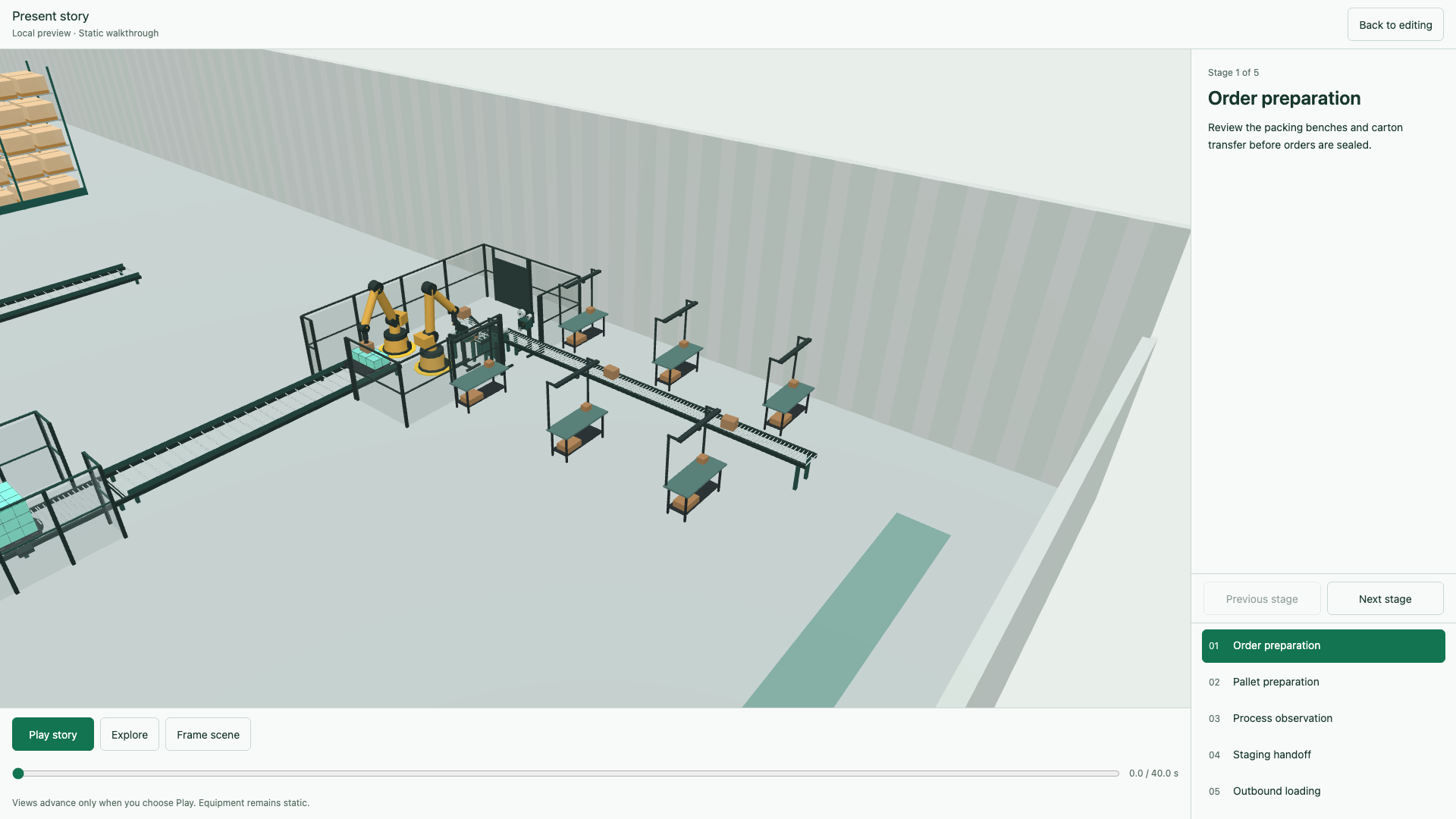
The installation page includes two 3D design walkthroughs. Publication is an intentional step; private work orders and field media do not become public by default.
09 / Your next chapter
See how OSPR fits your business.
Bring your website and one equipment sale or service job. We’ll walk through the customer experience and staff tools, then discuss a useful starting scope, the content or records you would bring, and any migration or tailored work involved.